

If you’ve been creating content but not getting traffic, your keyword strategy is probably the problem.
SEO keyword research is the process of finding the exact words and phrases your target audience types into Google — and then building your content around those terms. This guide is for bloggers, content marketers, and small business owners who want to stop guessing and start ranking.
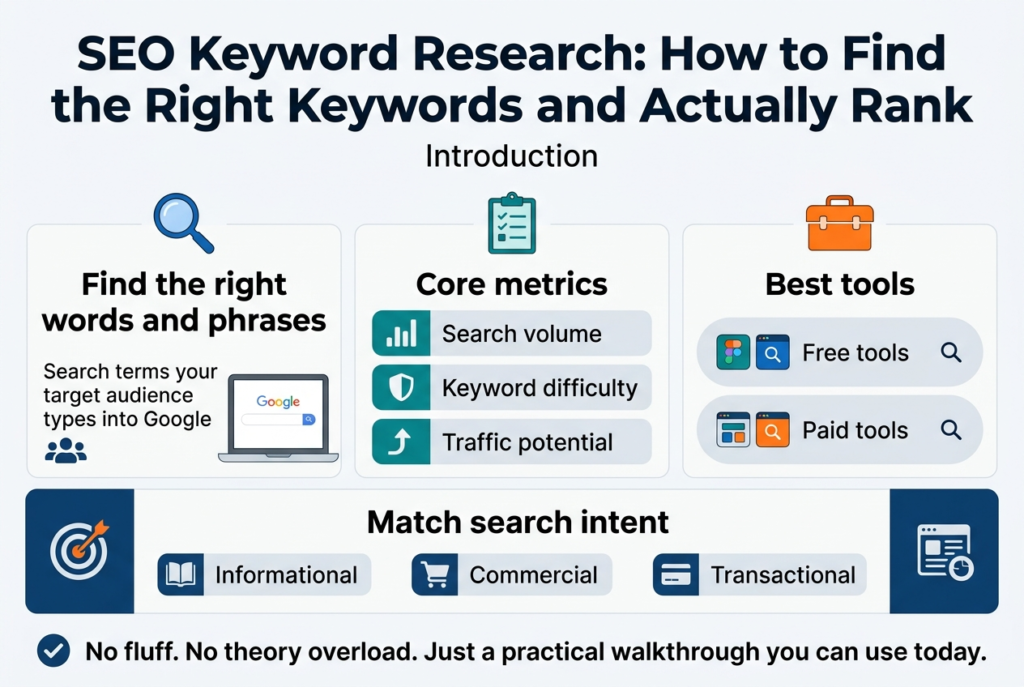
Here’s what we’ll cover:
- The core metrics that tell you whether a keyword is worth targeting
- The best free and paid tools to find profitable keywords fast
- How to align keywords with search intent so your content matches what people actually want
No fluff, no theory overload — just a practical walkthrough you can use today.
Understand the Fundamentals of SEO Keyword Research
Define What Keywords Are and Why They Matter
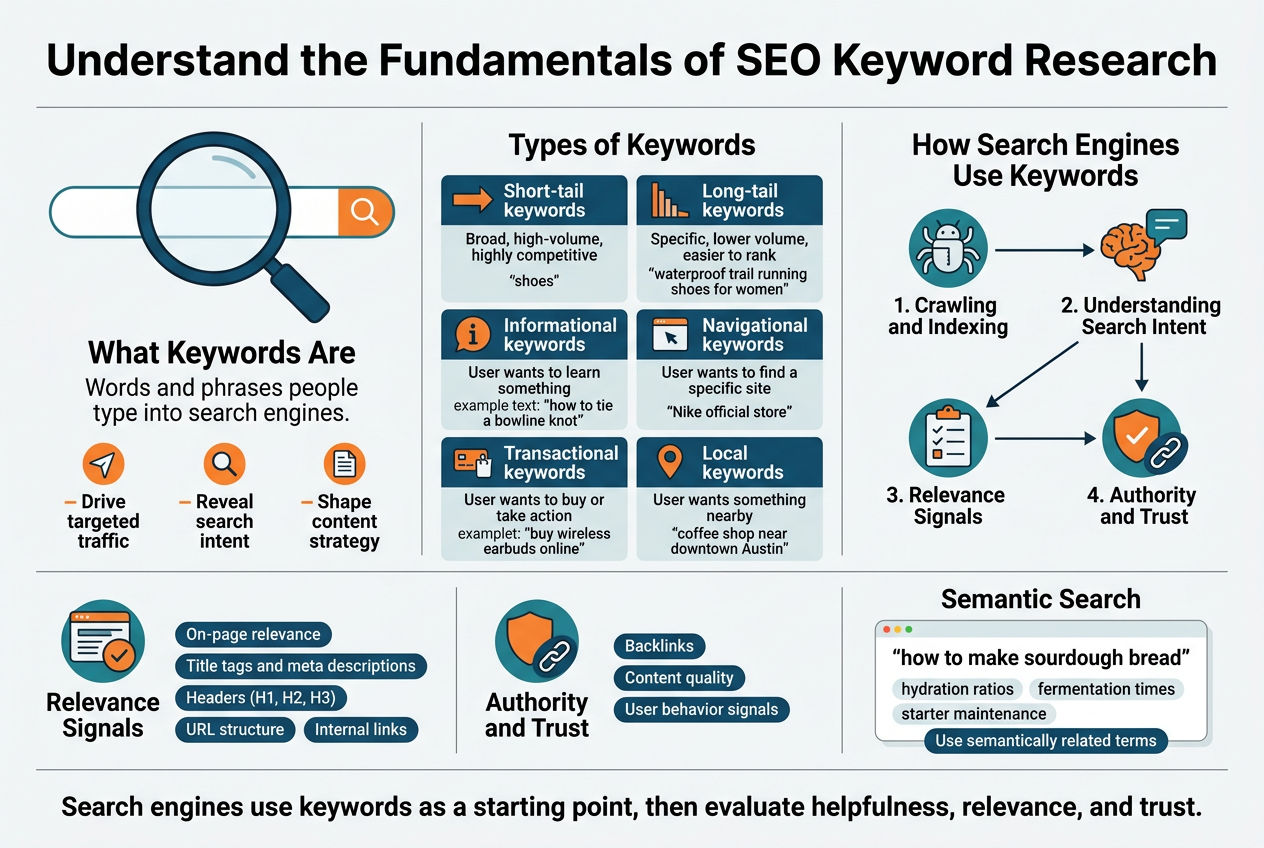
Keywords are the words and phrases people type into search engines when they’re looking for something. Simple as that. When someone searches “best running shoes for flat feet” or “how to fix a leaky faucet,” those search terms are keywords — and they’re the bridge between what your audience needs and the content you create.
Think of keywords as the language your potential readers, customers, or clients are already speaking. Your job is to understand that language and match it with content that genuinely answers their questions or solves their problems.
Here’s why keywords matter so much:
- They drive targeted traffic. Ranking for the right keywords brings people who are already interested in what you offer — not random visitors who bounce in 10 seconds.
- They reveal real intent. Keywords show you why someone is searching, not just what they’re searching for. Someone typing “buy noise-canceling headphones” is ready to purchase. Someone typing “how do noise-canceling headphones work” is still in research mode. That difference changes everything about how you respond.
- They shape your entire content strategy. The keywords you choose tell you what blog posts to write, what product pages to build, and what questions to answer.
- They connect you to people at the right moment. Good keyword research means showing up exactly when someone needs what you have.
There are several types of keywords you should know:
| Keyword Type | Description | Example |
|---|---|---|
| Short-tail keywords | Broad, high-volume, highly competitive | “shoes” |
| Long-tail keywords | Specific, lower volume, easier to rank | “waterproof trail running shoes for women” |
| Informational keywords | User wants to learn something | “how to tie a bowline knot” |
| Navigational keywords | User wants to find a specific site | “Nike official store” |
| Transactional keywords | User wants to buy or take action | “buy wireless earbuds online” |
| Local keywords | User wants something nearby | “coffee shop near downtown Austin” |
Each type serves a different purpose, and a smart keyword strategy uses all of them in the right places.
Learn How Search Engines Use Keywords to Rank Content
Search engines like Google don’t just scan your page for matching words and call it a day. The process is way more sophisticated than that — and understanding it helps you make smarter decisions about how you use keywords.
Here’s what’s actually happening behind the scenes:
Crawling and Indexing
Google uses bots (also called spiders or crawlers) that constantly browse the web, visiting pages and following links. When a bot finds your page, it reads the content and stores it in Google’s massive index — basically a giant library of web pages. Keywords help the bot understand what your page is about and where it belongs in that library.
Understanding Search Intent
Modern search engines are incredibly good at understanding context, not just keywords. Google’s algorithms — including major updates like BERT and MUM — are designed to understand natural language. That means Google reads your content the way a person would, looking at the surrounding words, the structure of your sentences, and the overall topic to figure out what your page is really about.
So stuffing a keyword 50 times into a page? That actually works against you. Google can tell the difference between content written for people and content written to game the algorithm.
Relevance Signals
When Google decides where to rank your page for a specific keyword, it looks at signals like:
- On-page relevance — Does your content actually cover the topic in depth? Are related terms and concepts present?
- Title tags and meta descriptions — These are prime real estate for your target keyword.
- Headers (H1, H2, H3) — Using keywords in headings signals to Google what sections of your content cover.
- URL structure — A clean URL with your keyword helps both users and search engines understand the page.
- Internal links — The anchor text of links pointing to your page also reinforces what that page is about.
Authority and Trust
Relevance alone won’t get you to the top of the results. Google also weighs how trustworthy and authoritative your page and website are. This comes from:
- Backlinks — Other credible sites linking to your content signal that your page is worth trusting.
- Content quality — Shallow, thin content rarely ranks well. Comprehensive, genuinely helpful content does.
- User behavior signals — If people click on your page and stay, that’s a good sign. If they leave in two seconds, Google notices.
Semantic Search and Related Keywords
Google doesn’t just look for the exact keyword you’re targeting. It looks for topical depth. A page about “how to make sourdough bread” that also naturally covers hydration ratios, fermentation times, and starter maintenance will outperform a page that just repeats “sourdough bread recipe” over and over.
This is why using semantically related terms — words and phrases closely connected to your main keyword — makes your content more visible across a broader range of searches.
Here’s a quick breakdown of what Google evaluates:
| Signal Category | What It Includes | Why It Matters |
|---|---|---|
| On-page optimization | Keywords in title, headers, body, URL | Helps Google understand page topic |
| Content depth | Related terms, subtopics, word count | Shows topical authority |
| Backlink profile | Number and quality of inbound links | Builds credibility |
| User experience | Page speed, mobile-friendliness, layout | Affects how long users stay |
| Behavioral data | Click-through rate, bounce rate, dwell time | Signals real-world content quality |
The bottom line: search engines use keywords as a starting point to understand your content, but they’re ultimately trying to match users with the most helpful, relevant, and trustworthy answer to their query. Align your keyword strategy with that goal and you’re already ahead of most people.
Identify the Right Tools to Find Profitable Keywords
Leverage Free Tools Like Google Keyword Planner and Search Console
Free tools are genuinely powerful when you know how to squeeze every drop of value out of them. Most people gloss over them in favor of shiny paid alternatives, but that’s a mistake — especially if you’re just starting out or working with a tight budget.
Google Keyword Planner
Google Keyword Planner was originally built for advertisers, but SEOs have been using it for years to uncover keyword ideas and get a rough sense of search volume. Here’s how to get the most out of it:
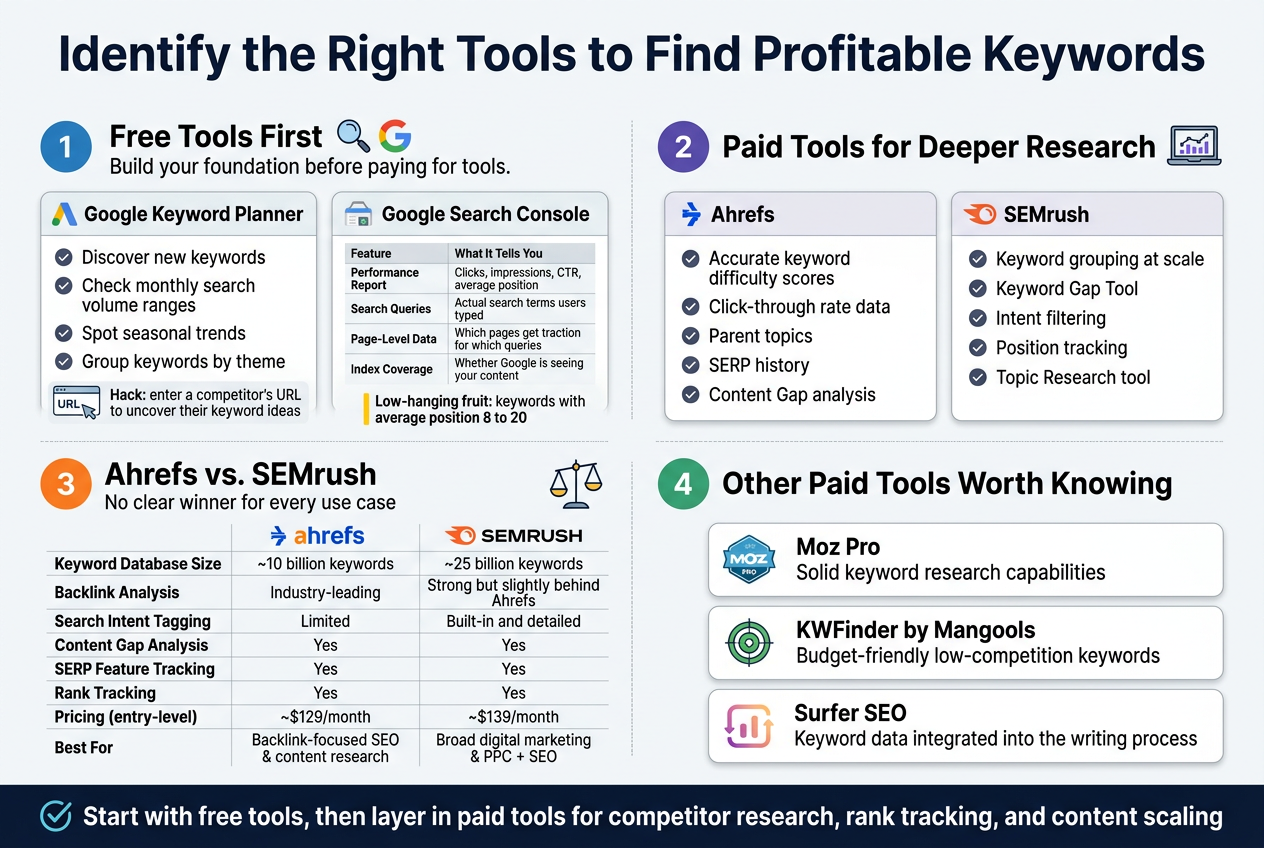
- Discover new keywords — Type in a seed keyword or your website URL and Google will generate a list of related keyword ideas based on actual search data.
- Check monthly search volume ranges — You won’t get exact numbers unless you’re running active Google Ads campaigns, but the ranges still give you a solid directional signal.
- Spot seasonal trends — The tool shows how search volume fluctuates across months, which helps you plan content around peak demand periods.
- Group keywords by theme — Keyword Planner’s ad group suggestions can actually help you organize topics for your content clusters.
One smart hack: enter a competitor’s URL instead of a keyword. Google will return keyword ideas based on what that site ranks for, giving you an instant window into their content strategy.
Google Search Console
Search Console is criminally underused for keyword research, and that’s a shame because it hands you real performance data — not estimates.
Here’s what makes it so valuable:
| Feature | What It Tells You |
|---|---|
| Performance Report | Keywords your site already ranks for, along with clicks, impressions, CTR, and average position |
| Search Queries | Actual search terms people typed before landing on your pages |
| Page-Level Data | Which specific pages are getting traction for which queries |
| Index Coverage | Whether Google is even seeing your content |
The Performance Report is gold. Filter by impressions and look for keywords where your average position sits between 8 and 20 — those are your low-hanging fruit. A page sitting in position 11 is just one solid content update away from landing on page one.
You can also use Search Console to find keyword cannibalization — situations where multiple pages on your site compete for the same query, splitting your ranking potential and confusing Google about which page to show.
Maximize Results With Paid Tools Like Ahrefs and SEMrush
When your SEO efforts start to mature and you need deeper data, competitive intelligence, and faster research workflows, paid tools become a genuine game-changer. Ahrefs and SEMrush are the two heavyweights in this space, and while they overlap significantly, each has areas where it pulls ahead.
Ahrefs
Ahrefs built its reputation on backlink data, but its keyword research features are just as impressive. The Keywords Explorer tool is one of the most comprehensive keyword research interfaces available anywhere.
Key things you can do with Ahrefs:
- Get accurate keyword difficulty scores — Ahrefs calculates keyword difficulty (KD) based on the number and quality of backlinks pointing to the top-ranking pages, giving you a realistic picture of how hard it’ll be to rank.
- See click-through rate data — Some keywords have high search volume but low actual clicks because Google shows answer boxes or ads that dominate the results. Ahrefs shows you the estimated click rate so you know what you’re actually competing for.
- Explore parent topics — Instead of targeting a narrow variation, Ahrefs often suggests a broader parent topic that covers more search intent and gives you a better shot at ranking for multiple related queries with a single page.
- Analyze SERP history — See how rankings have shifted over time, which tells you whether a keyword’s results are stable or volatile.
- Content Gap analysis — Compare your site against competitors to find keywords they rank for that you don’t. This is one of the fastest ways to identify content opportunities. Related Article
SEMrush
SEMrush takes a slightly different approach, leaning heavily into competitive research and positioning itself as an all-in-one marketing platform. Its Keyword Magic Tool is one of the largest keyword databases available, with over 25 billion keywords indexed.
What SEMrush does particularly well:
- Keyword grouping at scale — The Keyword Magic Tool lets you filter by broad match, phrase match, exact match, and related keywords, making it easy to build themed keyword clusters quickly.
- Keyword Gap Tool — Similar to Ahrefs’ content gap feature, this shows you keywords your competitors rank for but you don’t.
- Intent filtering — SEMrush categorizes keywords by search intent (informational, navigational, commercial, transactional), which is incredibly useful when mapping keywords to the right stage of your content funnel.
- Position tracking — Monitor how your target keywords move over time and get alerts when rankings shift significantly.
- Topic Research tool — Enter a broad subject and SEMrush generates subtopics, related questions, and trending headlines — great for content ideation.
Ahrefs vs. SEMrush: A Quick Comparison
| Feature | Ahrefs | SEMrush |
|---|---|---|
| Keyword Database Size | ~10 billion keywords | ~25 billion keywords |
| Backlink Analysis | Industry-leading | Strong but slightly behind Ahrefs |
| Search Intent Tagging | Limited | Built-in and detailed |
| Content Gap Analysis | Yes | Yes |
| SERP Feature Tracking | Yes | Yes |
| Rank Tracking | Yes | Yes |
| Pricing (entry-level) | ~$129/month | ~$139/month |
| Best For | Backlink-focused SEO & content research | Broad digital marketing & PPC + SEO |
Neither tool is the clear winner for every use case. If backlink analysis and clean keyword data are your priorities, Ahrefs is the better fit. If you want an all-in-one platform that covers SEO, PPC, content marketing, and competitive intelligence under one roof, SEMrush makes more sense.
Other Paid Tools Worth Knowing
Beyond Ahrefs and SEMrush, a few other tools deserve a mention:
- Moz Pro — Solid keyword research capabilities with its Domain Authority metric being widely referenced across the industry. Good for beginners who want a less overwhelming interface.
- KWFinder by Mangools — A budget-friendly option that focuses specifically on finding low-competition keywords. Great for niche sites and local SEO.
- Surfer SEO — Less of a keyword discovery tool and more of a content optimization platform, but it integrates keyword data directly into the writing process, which saves a lot of back-and-forth.
The smartest approach is to start with free tools to build your foundational keyword list, then layer in paid tools when you need to go deeper on competitor research, track rankings over time, or scale your content production.
Master the Key Metrics That Make a Keyword Valuable
Assess Keyword Difficulty to Target Winnable Terms
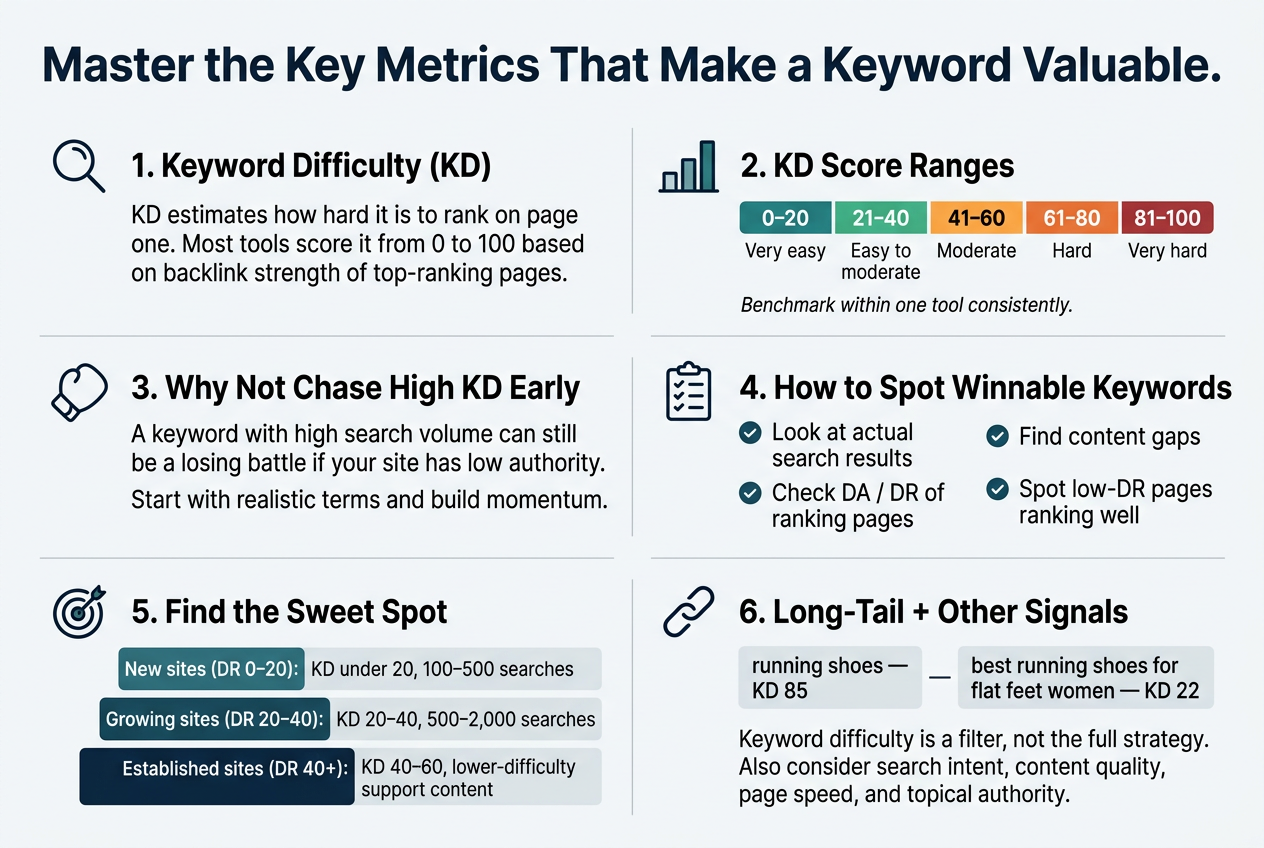
Keyword difficulty (KD) is one of the most practical metrics you’ll ever work with in SEO. It tells you how hard it’s going to be to rank on the first page of Google for a specific term. Ignore it, and you’ll spend months chasing keywords you have virtually no chance of ranking for — especially if your site is relatively new or doesn’t yet have significant domain authority.
What Keyword Difficulty Actually Measures
Most SEO tools calculate keyword difficulty by analyzing the backlink profiles of the pages currently ranking in the top 10 results for a given term. The stronger and more numerous those backlinks are, the higher the difficulty score. Tools like Ahrefs, Semrush, and Moz each have their own scoring scales, but they generally run from 0 to 100:
| Difficulty Range | What It Means | Best For |
|---|---|---|
| 0 – 20 | Very easy | New sites, niche blogs |
| 21 – 40 | Easy to moderate | Sites with some authority |
| 41 – 60 | Moderate | Established sites with solid backlinks |
| 61 – 80 | Hard | High-authority domains |
| 81 – 100 | Very hard | Industry giants only |
These ranges aren’t universal across tools — a KD of 40 in Ahrefs doesn’t mean exactly the same thing as a KD of 40 in Semrush. Always benchmark within the tool you’re using consistently.
Why You Shouldn’t Chase High-Difficulty Keywords Right Away
Here’s the thing — a keyword with a difficulty score of 85 might look attractive because it gets 100,000 searches a month. But if your domain rating is 20, you’re essentially showing up to a heavyweight boxing match as a middleweight. You’re not going to win, and you’ll burn your content budget in the process.
Instead, start by targeting keywords where you actually have a realistic shot. Winning lower-difficulty terms builds your authority over time, earns you real traffic, and creates a foundation that eventually lets you go after harder terms from a position of strength.
How to Identify Winnable Keywords Based on Difficulty
Getting practical with keyword difficulty means doing a bit of detective work beyond just looking at the score. Here’s what to check:
- Look at the actual search results. Paste the keyword into Google and examine what’s ranking. Are the top results from massive brands like Wikipedia, Forbes, or Amazon? If so, the keyword is probably harder to crack than the score suggests — even if the tool gives it a moderate rating.
- Check domain authority of ranking pages. Tools like Ahrefs and Moz let you see the domain authority (DA) or domain rating (DR) of the pages ranking on page one. If every result is from a site with a DR of 80+, and your site is at DR 25, that’s your answer.
- Look for content gaps. Sometimes a high-difficulty keyword has weak-quality content ranking for it. If the top results are thin, outdated, or not directly answering the search query, there’s an opportunity to outrank them with something genuinely better — even without a massive backlink profile.
- Spot low-DR pages ranking well. This is a green light. If you see a page from a site with a DR of 30 sitting on the first page, that’s proof Google is willing to rank a lower-authority site for that term.
The Sweet Spot: Balancing Difficulty With Search Volume
Chasing only the easiest keywords isn’t the answer either. Some low-difficulty keywords get next to zero searches, meaning you’d rank number one and hear crickets. The goal is to find the intersection of realistic difficulty and meaningful search volume.
A good rule of thumb:
- New sites (DR 0–20): Target keywords with KD under 20 and at least 100–500 monthly searches
- Growing sites (DR 20–40): Expand into KD 20–40 range with 500–2,000 monthly searches
- Established sites (DR 40+): Compete for KD 40–60 terms while maintaining lower-difficulty content
Long-Tail Keywords Are Your Best Friend for Low-Difficulty Wins
Long-tail keywords — phrases that are usually three or more words — almost always carry lower difficulty scores. They’re more specific, which means less competition, but they also signal a searcher who knows exactly what they want. That specificity often translates into higher conversion rates.
For example:
- “running shoes” → KD: 85, very broad
- “best running shoes for flat feet women” → KD: 22, highly specific
The second one is far more winnable and attracts a searcher who’s closer to making a decision. Stacking your content strategy with well-chosen long-tail keywords is one of the fastest legitimate ways to grow organic traffic without needing a massive backlink portfolio.
Don’t Treat Keyword Difficulty as the Only Signal
Keyword difficulty is a powerful filter, but it works best when paired with other signals. Search intent, content quality, page speed, and topical authority all play roles in whether you rank. A keyword with a KD of 50 might actually be more achievable if you have deep topical authority in that niche — because Google recognizes your site as a trusted source on that subject.
Think of keyword difficulty as your entry qualification, not your entire game plan. Use it to screen out the battles you can’t win right now, and focus your energy on the ones where smart content and consistent effort can genuinely move the needle.
Apply Proven Strategies to Build a Winning Keyword List
Start With Seed Keywords to Expand Your Research
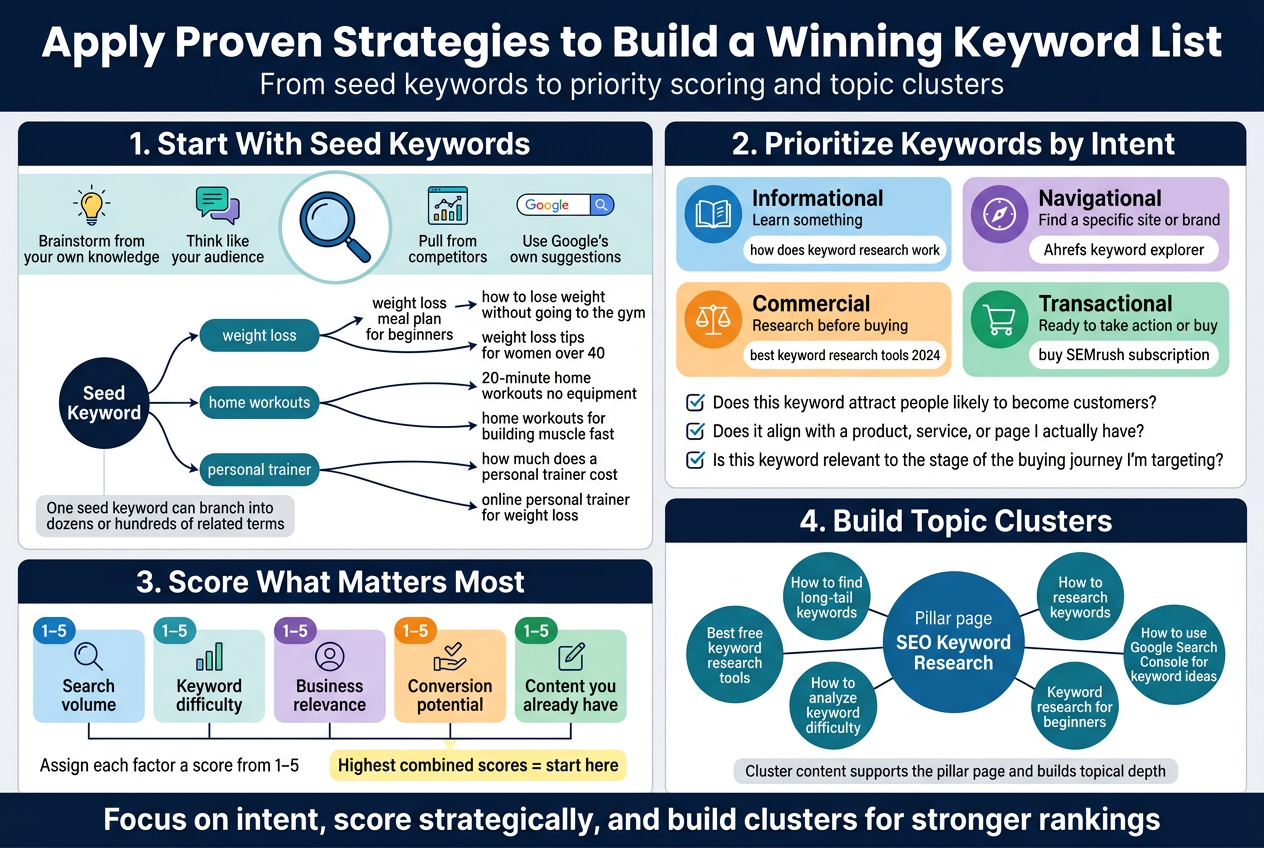
Seed keywords are the foundation of your entire keyword research process. Think of them as the starting point — the broad, simple terms that describe what your business, product, or content is about. If you run a fitness coaching business, your seed keywords might be something like “weight loss,” “home workouts,” or “personal trainer.” These aren’t the keywords you’ll necessarily target directly, but they open the door to hundreds of more specific, high-value opportunities.
Here’s how to get the most out of seed keywords:
- Brainstorm from your own knowledge. Write down every term a potential customer might type into Google when looking for what you offer. Don’t filter yourself at this stage — just get ideas on paper.
- Think like your audience. What language do your customers actually use? Check forums like Reddit, Facebook Groups, and Quora. People talk differently there than in formal content, and those natural phrases are keyword gold.
- Pull from competitors. Plug a competitor’s URL into a tool like Ahrefs or SEMrush and see what keywords they’re already ranking for. Their keyword profile can reveal gaps in your own list and spark ideas you hadn’t considered.
- Use Google’s own suggestions. Start typing a seed keyword into Google’s search bar and pay attention to the autocomplete suggestions. Scroll to the bottom of the results page and check the “Related searches” section too. Both are powered by real search behavior.
Once you have a list of seed keywords, run them through a dedicated keyword research tool. That’s where one seed keyword can branch into dozens — or even hundreds — of related terms, long-tail variations, and question-based queries.
Expanding From Seeds to a Full Keyword Universe
A single seed keyword can generate a massive web of opportunities. Here’s a simple example of how one seed keyword branches out:
| Seed Keyword | Long-Tail Variations |
|---|---|
| weight loss | weight loss meal plan for beginners |
| weight loss | how to lose weight without going to the gym |
| weight loss | weight loss tips for women over 40 |
| home workouts | 20-minute home workouts no equipment |
| home workouts | home workouts for building muscle fast |
| personal trainer | how much does a personal trainer cost |
| personal trainer | online personal trainer for weight loss |
Each of those long-tail variations represents a more specific search with a clearer intent — and often, much less competition than the original seed keyword. That’s where the real opportunities live, especially for newer websites that can’t yet compete for high-volume head terms.
Prioritize Keywords Based on Business Goals and User Intent
Having a massive list of keywords is only half the job. The other half — and honestly the part most people skip — is deciding which keywords actually deserve your time and energy. Not every keyword is worth targeting, even if the search volume looks impressive on paper.
Match Keywords to Where You Want to Go
Your keyword strategy should connect directly to what you’re trying to achieve as a business. A keyword like “what is SEO” might get a ton of searches, but if you’re selling an advanced SEO software tool for experienced marketers, that keyword will attract people who aren’t close to buying anything. You’d be spending content resources to pull in the wrong crowd.
Ask yourself these questions when evaluating keywords:
- Does this keyword attract people likely to become customers?
- Does it align with a product, service, or page I actually have?
- Is this keyword relevant to the stage of the buying journey I’m targeting?
Understand the Four Types of User Intent
Every keyword carries an intent behind it — a reason why someone typed that specific phrase. Getting this right separates good keyword strategies from great ones.
| Intent Type | What the User Wants | Example Keywords |
|---|---|---|
| Informational | Learn something | “how does keyword research work” |
| Navigational | Find a specific site or brand | “Ahrefs keyword explorer” |
| Commercial | Research before buying | “best keyword research tools 2024” |
| Transactional | Ready to take action or buy | “buy SEMrush subscription” |
Each intent type calls for a different type of content. Informational keywords are perfect for blog posts and guides. Commercial keywords work well for comparison articles and reviews. Transactional keywords belong on product pages, landing pages, and service pages where the goal is conversion.
Build a Priority Scoring System
Once you’ve mapped intent, it helps to score your keywords so you know what to tackle first. Consider weighing each keyword across these factors:
- Search volume — How many people search for this per month?
- Keyword difficulty — How hard is it to rank based on current competition?
- Business relevance — How closely does it relate to what you sell or offer?
- Conversion potential — How likely is someone searching this to take a meaningful action?
- Content you already have — Can you optimize existing content, or does this require building something new?
Assign a simple score (1–5) to each factor and total them up. The keywords with the highest combined scores are where you start. This keeps your strategy grounded in what actually drives business results rather than chasing shiny metrics that look good in a spreadsheet but don’t translate to real growth.
Focus on Clusters, Not Just Individual Keywords
A smarter way to prioritize is to think in topic clusters rather than standalone keywords. Group related keywords together around a central theme, then build a content hub around that theme. For example:
- Pillar page: SEO Keyword Research (broad, high-level overview)
- Cluster content:
- How to find long-tail keywords
- Best free keyword research tools
- How to analyze keyword difficulty
- Keyword research for beginners
- How to use Google Search Console for keyword ideas
Each cluster piece supports and links back to the pillar page. This structure signals to Google that your site has real depth on the topic, which can boost rankings across the entire cluster — not just individual pages. It also makes prioritization easier because you’re building content strategically rather than publishing randomly.
Integrate Keywords Naturally Into Your Content Strategy
Place Keywords Strategically in Titles, Headers, and Meta Descriptions
Getting your keywords into the right spots on a page is one of the most impactful things you can do for your SEO. It’s not about cramming them everywhere — it’s about placing them where search engines and readers actually pay attention.
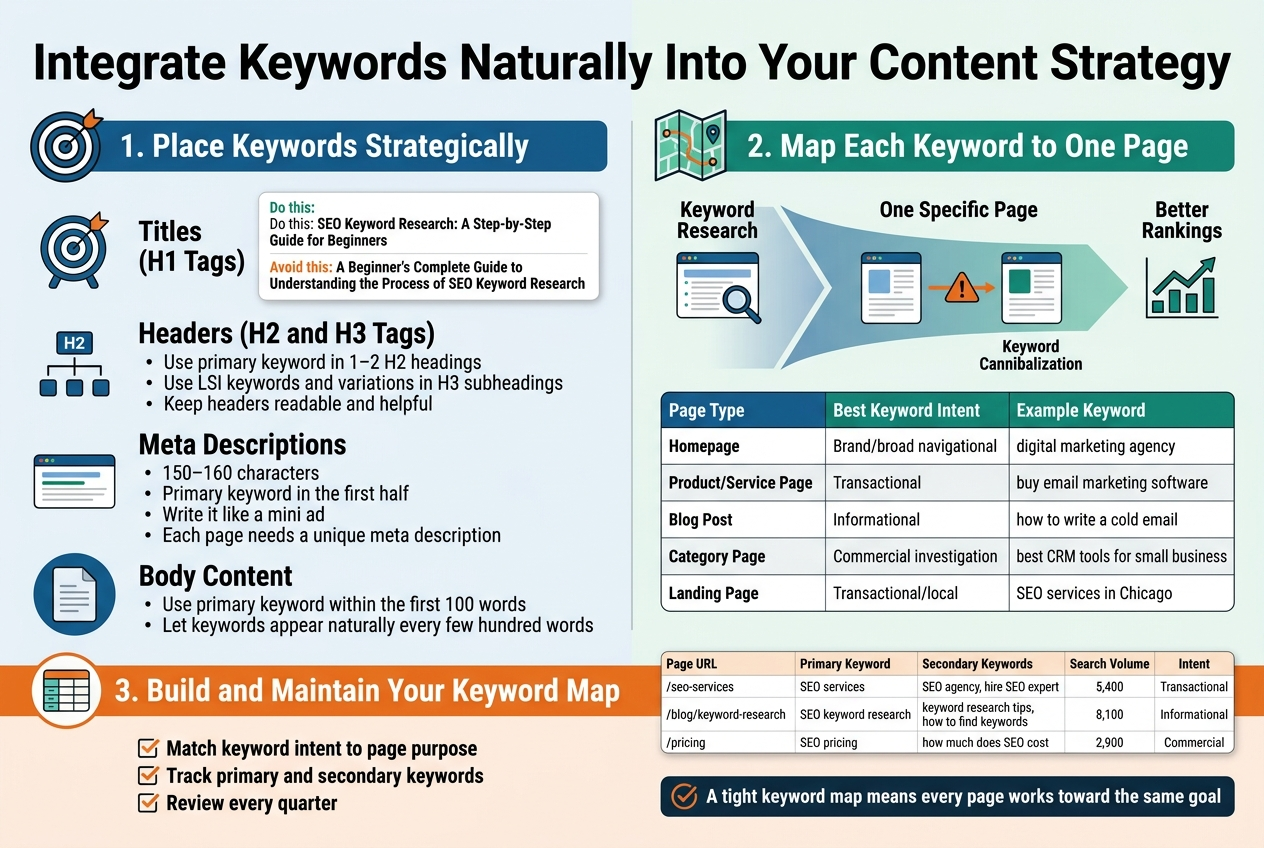
Titles (H1 Tags)
Your page title is the single most important on-page SEO element. Search engines weigh it heavily when deciding what your page is about. Place your primary keyword as close to the beginning of the title as possible without making it sound forced.
- Do this: “SEO Keyword Research: A Step-by-Step Guide for Beginners”
- Avoid this: “A Beginner’s Complete Guide to Understanding the Process of SEO Keyword Research”
The first version leads with the keyword. The second buries it.
Headers (H2 and H3 Tags)
Headers break up your content and give search engines a roadmap of your page. Sprinkle your primary keyword and closely related secondary keywords naturally throughout your H2 and H3 headings. Don’t force every header to contain a keyword — that looks spammy and reads awkwardly.
A good approach:
- Use your primary keyword in one or two H2 headings
- Use LSI (Latent Semantic Indexing) keywords and variations in H3 subheadings
- Keep headers readable and genuinely helpful for the user
Meta Descriptions
Meta descriptions don’t directly influence rankings, but they absolutely affect click-through rates. When your keyword appears in a meta description and someone searches that term, Google bolds the matching words in the search results. That visual emphasis draws attention and drives more clicks.
Keep these tips in mind:
- Write meta descriptions between 150–160 characters
- Include the primary keyword naturally in the first half of the sentence
- Make the description compelling — treat it like a mini ad for your page
- Each page needs a unique meta description; duplicate ones waste the opportunity
Body Content
Beyond the structural elements, keywords should appear naturally throughout your body copy. A good rule of thumb is to use your primary keyword within the first 100 words of your content. After that, let it appear organically every few hundred words without forcing it. Keyword density isn’t a magic number to hit — just write like a human and cover the topic thoroughly.
Map Each Keyword to a Specific Page for Maximum Impact
One of the most common mistakes people make is targeting the same keyword across multiple pages of their website. When that happens, your own pages start competing against each other — a problem called keyword cannibalization. Search engines get confused about which page to rank, and both pages end up performing worse than either would on its own.
The fix is keyword mapping: assigning each target keyword (or keyword cluster) to one specific page and sticking to that plan.
How Keyword Mapping Works
Think of your website as a city and each page as a building. Every building has a specific purpose — a library, a coffee shop, a hardware store. You wouldn’t build two libraries on the same street and expect both to thrive. Keyword mapping gives each page its own unique purpose and territory.
Here’s a simple framework to follow:
| Page Type | Best Keyword Intent | Example Keyword |
|---|---|---|
| Homepage | Brand/broad navigational | “digital marketing agency” |
| Product/Service Page | Transactional | “buy email marketing software” |
| Blog Post | Informational | “how to write a cold email” |
| Category Page | Commercial investigation | “best CRM tools for small business” |
| Landing Page | Transactional/local | “SEO services in Chicago” |
Building Your Keyword Map
Start by listing every page on your site. Then, go through your keyword research list and match each keyword to the most relevant page based on:
- Search intent alignment — Is the page designed to inform, sell, or compare?
- Content depth — Does the page have enough content to fully address what the keyword promises?
- Existing authority — Has the page already earned backlinks or traffic that make it a stronger candidate?
Use a spreadsheet to track this. A basic keyword map looks like this:
| Page URL | Primary Keyword | Secondary Keywords | Search Volume | Intent |
|---|---|---|---|---|
| /seo-services | “SEO services” | “SEO agency,” “hire SEO expert” | 5,400 | Transactional |
| /blog/keyword-research | “SEO keyword research” | “keyword research tips,” “how to find keywords” | 8,100 | Informational |
| /pricing | “SEO pricing” | “how much does SEO cost” | 2,900 | Commercial |
Handling Keyword Overlap
Sometimes two similar keywords feel like they belong on the same page, but they’re slightly different enough to justify separate pages. Here’s how to decide:
- If the keywords have the same intent and similar search results, map them to the same page as primary and secondary keywords.
- If the keywords have different intents or different types of searchers, give each its own dedicated page.
For example, “keyword research tools” and “best keyword research tools” are close enough to live on the same page. But “keyword research tools” and “how to do keyword research” serve different audiences and deserve separate pages.
Keeping Your Keyword Map Updated
Keyword mapping isn’t a one-time job. Search trends shift, you add new pages, and your competitors change their strategies. Set a reminder to review your keyword map every quarter. Check for:
- New keyword opportunities your existing pages could target
- Pages that have started cannibalizing each other
- High-volume keywords that currently have no home on your site
- Underperforming pages that need stronger keyword alignment
A tight, well-maintained keyword map means every page on your site is pulling in the right direction — and none of them are accidentally fighting each other for the same ranking.
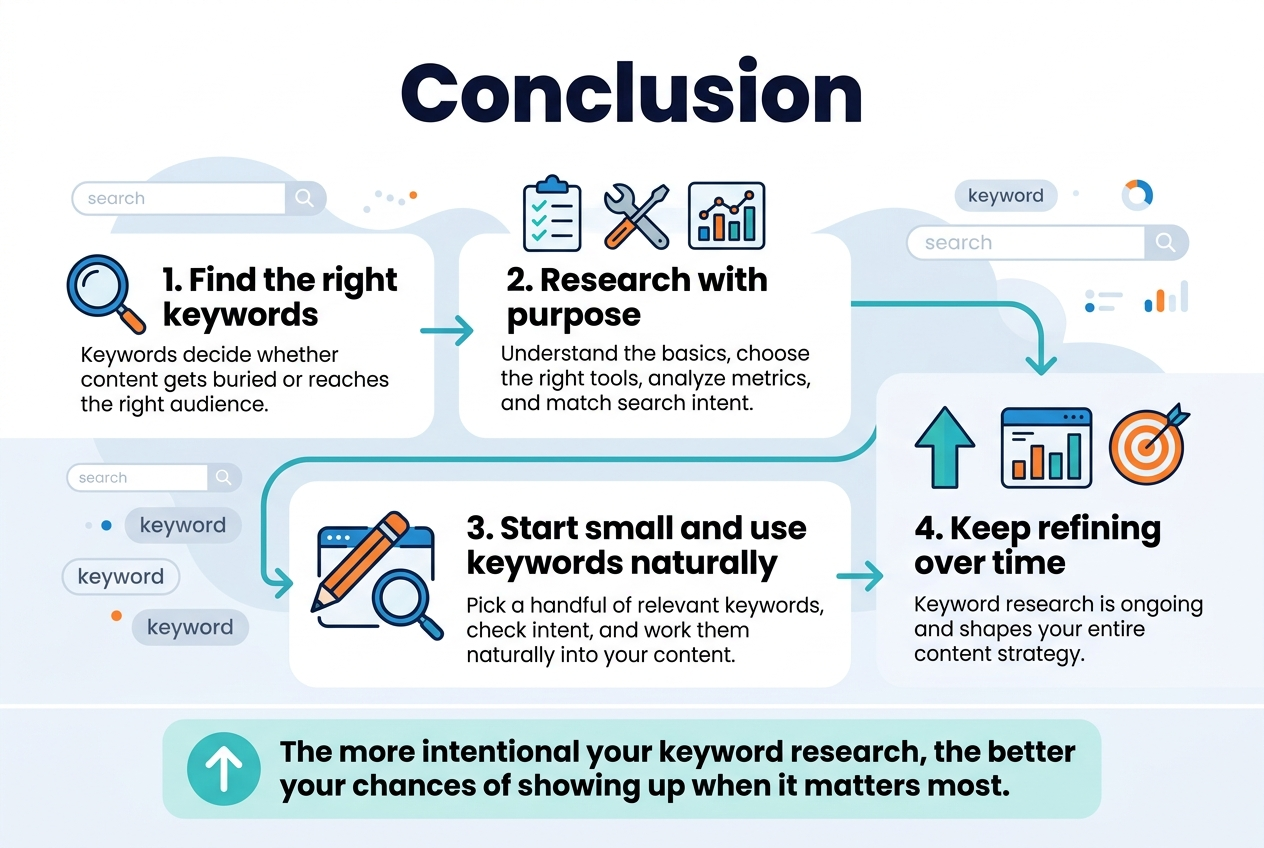
Finding the right keywords is what separates content that gets buried on page five from content that actually reaches the people looking for it. From understanding the basics to picking the right tools, analyzing metrics, and matching keywords to what people actually want when they search, every step in this process plays a role in how well your content performs. Building a solid keyword list is not a one-time task — it is an ongoing practice that shapes your entire content strategy.
Start small if you need to, but start somewhere. Pick a handful of relevant keywords, check the search intent behind them, and work them naturally into your content. Over time, you will get a clearer picture of what resonates with your audience and what drives real traffic to your site. The more intentional you are with your keyword research, the better your chances of showing up when it matters most.
