

If you’re a blogger, small business owner, or SEO beginner trying to grow organic traffic without a big budget, a free keyword difficulty tool is one of the smartest places to start. These tools tell you how hard it will be to rank for any given keyword — so you stop wasting time chasing terms that massive sites already dominate.
In this guide, you’ll learn:
- What keyword difficulty actually means and why it matters for your SEO strategy
- Which free tools are worth your time and how to check keyword difficulty without spending a dime
- How to act on the data — including the common mistakes that trip people up and the smarter moves that drive real traffic
No fluff, no expensive software required. Let’s get into it.
What Keyword Difficulty Actually Means for Your SEO Strategy
How Keyword Difficulty Scores Are Calculated
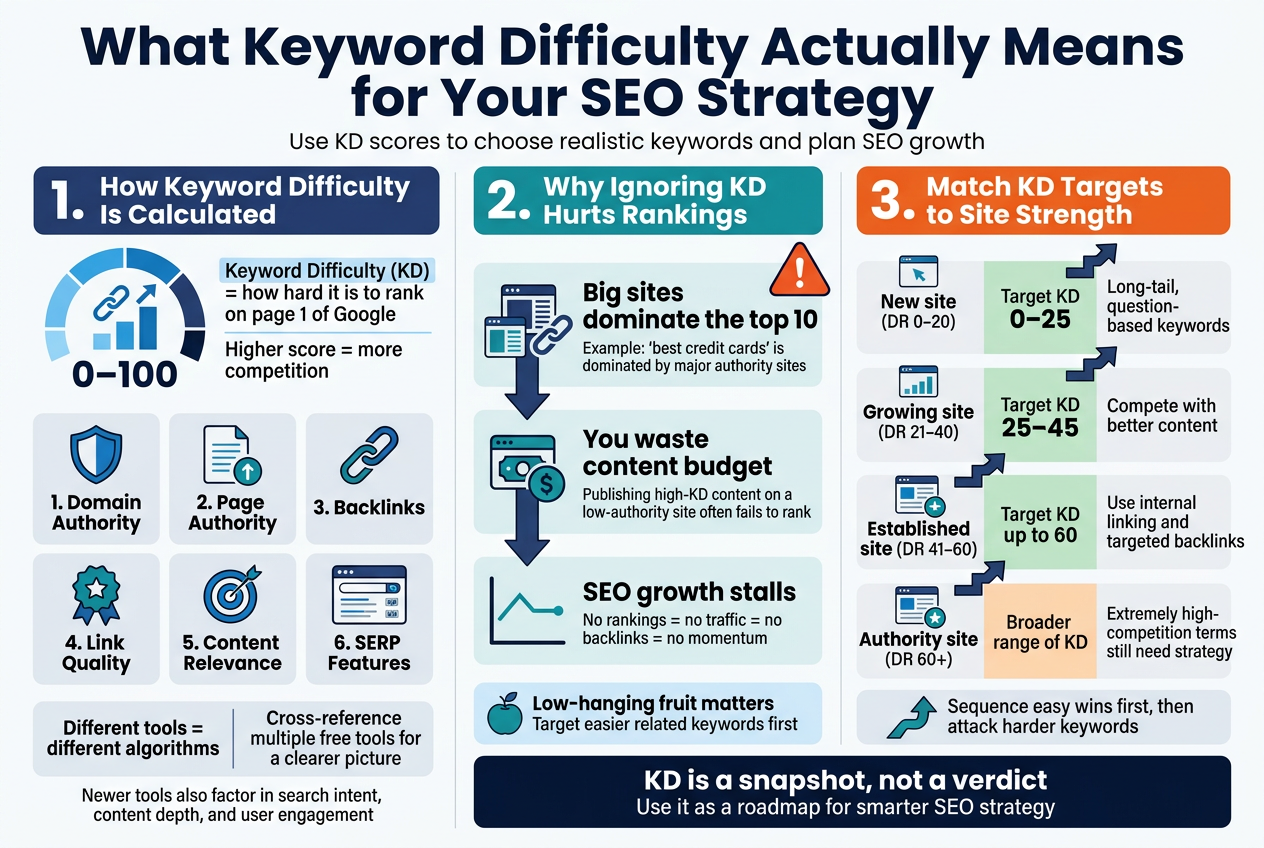
Keyword difficulty (KD) is a score — usually on a scale from 0 to 100 — that tells you how hard it would be to rank on the first page of Google for a specific keyword. The higher the score, the more competition you’re up against.
Most tools calculate this score by looking at the backlink profiles of the pages that are already ranking in the top 10 results. The logic is straightforward: if the pages sitting on page one have thousands of high-quality backlinks from authoritative sites, you’re going to need a comparable link profile just to compete.
Here’s a breakdown of the key factors that go into most keyword difficulty calculations:
| Factor | What It Measures |
|---|---|
| Domain Authority | The overall strength of the ranking sites’ domains |
| Page Authority | The backlink strength of the specific ranking page |
| Number of Backlinks | How many external links point to those ranking pages |
| Link Quality | Whether those backlinks come from trusted, high-authority sources |
| Content Relevance | How well the ranking pages match the search intent |
| SERP Features | Presence of featured snippets, ads, or other elements that reduce click-through rates |
Different tools weigh these factors differently, which is why you might see a keyword score as 42 on one tool and 67 on another. Neither is necessarily “wrong” — they’re just using different algorithms and data sources. That’s why cross-referencing multiple free tools gives you a more accurate picture.
Some newer tools are also starting to factor in:
- Search intent alignment — whether the content format (blog post, product page, video) matches what Google is already rewarding
- Content depth signals — how comprehensive the top-ranking pages are
- User engagement metrics — estimated bounce rate and time on page for current ranking pages
A keyword difficulty score is a snapshot, not a verdict. It’s a starting point for your research, not the final word on what you should or shouldn’t target.
Why Ignoring Keyword Difficulty Hurts Your Rankings
Skipping keyword difficulty analysis is one of the fastest ways to burn your time and energy chasing rankings you won’t get — at least not anytime soon.
Here’s what typically happens when people ignore KD scores:
You go after keywords that are already dominated by giants. Imagine a brand-new blog trying to rank for “best credit cards.” That keyword is owned by NerdWallet, Forbes, Bankrate, and similar sites with decades of authority and hundreds of thousands of backlinks. No amount of great writing is going to crack that top 10 in the short term.
You waste your content budget. Every piece of content costs something — time, money, creative energy. Publishing a post targeting a KD-90 keyword when your site has a domain rating of 15 is basically throwing that content into a void. It might index, but it won’t rank.
You miss out on low-hanging fruit. While you’re swinging at impossible keywords, there are dozens of related keywords with KD scores below 30 that your site could realistically rank for within a few months. These are the ones that build your traffic foundation and help you earn the authority you need to compete for bigger terms later.
Your SEO growth stalls out. When nothing ranks, you get no organic traffic. No traffic means no social proof, no backlinks, and no data to learn from. It becomes a slow spiral downward — or more accurately, a flatline.
Here’s a practical way to think about it based on where your site currently stands:
- New site (DR 0–20): Stick to KD scores of 0–25. Look for long-tail, question-based keywords with clear intent.
- Growing site (DR 21–40): You can start targeting KD 25–45, especially if your content is genuinely better than what’s ranking.
- Established site (DR 41–60): KD scores up to 60 are fair game, especially with solid internal linking and a few targeted backlinks.
- Authority site (DR 60+): You can compete across a wide range of difficulty scores, though extremely high-competition terms still require strategic link-building.
The goal isn’t to only go after easy keywords forever. It’s to sequence your content strategy so that early wins build the authority you need to attack tougher keywords down the road. Difficulty scores are your roadmap for doing that intelligently.
Ignoring them doesn’t make you bold — it just makes the climb steeper than it needs to be.
Top Free Keyword Difficulty Tools Worth Using Today
Google Search Console for Basic Difficulty Insights
Google Search Console doesn’t hand you a “keyword difficulty score” on a silver platter, but it gives you something arguably more valuable — real data from your own website about how you’re actually performing in Google’s eyes.
Here’s how to squeeze keyword difficulty insights out of it:
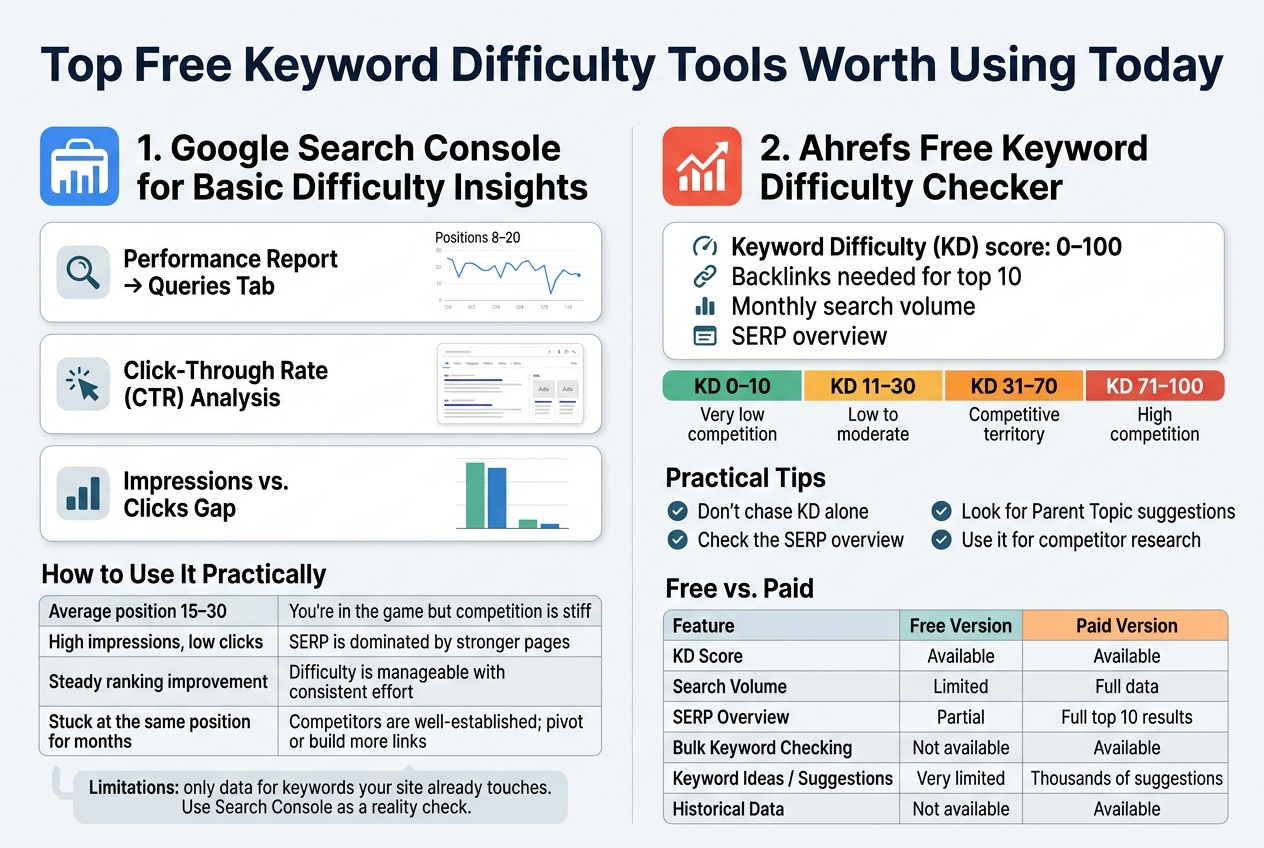
- Performance Report → Queries Tab: Look at which keywords you already rank for and check their average position. If you’re stuck between positions 8–20 for a keyword with decent impressions, that’s a signal the competition is real but beatable.
- Click-Through Rate (CTR) Analysis: Low CTR on keywords where you rank in the top 5 can mean the SERP is cluttered with ads, featured snippets, or strong brand competitors — all indirect signs of high difficulty.
- Impressions vs. Clicks Gap: A keyword getting thousands of impressions but very few clicks usually means you’re ranking too low to matter, which tells you difficulty is winning right now.
How to Use It Practically
| Signal | What It Tells You About Difficulty |
|---|---|
| Average position 15–30 | You’re in the game but competition is stiff |
| High impressions, low clicks | SERP is dominated by stronger pages |
| Steady ranking improvement | Difficulty is manageable with consistent effort |
| Stuck at the same position for months | Competitors are well-established; pivot or build more links |
The big limitation here is obvious — you only see data for keywords your site already touches. For brand-new keyword research, you need to pair this with another tool. Think of Search Console as your difficulty reality check after you’ve already published content.
Ahrefs Free Keyword Difficulty Checker Options
Ahrefs has quietly become one of the most trusted names in keyword research, and even their free tier gives you access to a legitimate keyword difficulty checker that many SEOs swear by.
What the Free Version Actually Gives You
When you visit Ahrefs’ free keyword difficulty tool, you can check a single keyword at a time and get:
- A Keyword Difficulty (KD) score on a scale from 0 to 100
- An estimate of how many backlinks you’d need to rank in the top 10
- Monthly search volume (though this is sometimes limited in the free tier)
- SERP overview showing the top-ranking pages
The KD score itself is built on Ahrefs’ own index of backlinks, which is one of the largest in the industry. That makes it more accurate than a lot of free alternatives that guess based on surface-level metrics.
How Ahrefs Calculates Keyword Difficulty
Ahrefs KD is based primarily on the number of referring domains pointing to the pages currently ranking in the top 10. It’s not a perfect science, but it’s transparent and consistent:
- KD 0–10: Very low competition. You can probably rank with a well-optimized page and minimal links.
- KD 11–30: Low to moderate. Good content and a few quality backlinks can get you there.
- KD 31–70: Competitive territory. You’ll need a solid backlink strategy and strong on-page SEO.
- KD 71–100: High competition. Usually dominated by authoritative brands. Very hard to crack without serious domain authority.
Practical Tips for Getting the Most Out of Ahrefs Free Tool
- Don’t chase KD alone — a KD of 20 on a keyword with 100 monthly searches might not be worth your time. Always balance difficulty with potential traffic.
- Check the SERP overview even on the free version. If you see small blogs ranking in the top 10 alongside giants, that’s a green light — the keyword is conquerable.
- Look for “Parent Topic” suggestions — Ahrefs sometimes shows a broader keyword your target term falls under, which can help you prioritize a more strategic page instead of a narrow one.
- Use it for competitor research — punch in keywords you suspect your competitors rank for and see if the difficulty is something your site can realistically compete with given your current backlink profile.
Free vs. Paid: Where the Gap Shows Up
| Feature | Free Version | Paid Version |
|---|---|---|
| KD Score | ✅ Available | ✅ Available |
| Search Volume | Limited | Full data |
| SERP Overview | Partial | Full top 10 results |
| Bulk Keyword Checking | ❌ Not available | ✅ Available |
| Keyword Ideas / Suggestions | Very limited | Thousands of suggestions |
| Historical Data | ❌ | ✅ |
For someone just starting out or running a small site, the free Ahrefs keyword difficulty checker covers the essentials well. You won’t get the full picture, but you’ll get enough to make smarter decisions about which keywords are actually worth going after.
Common Mistakes People Make When Using Free Keyword Difficulty Tools
Relying on a Single Tool for Final Decisions
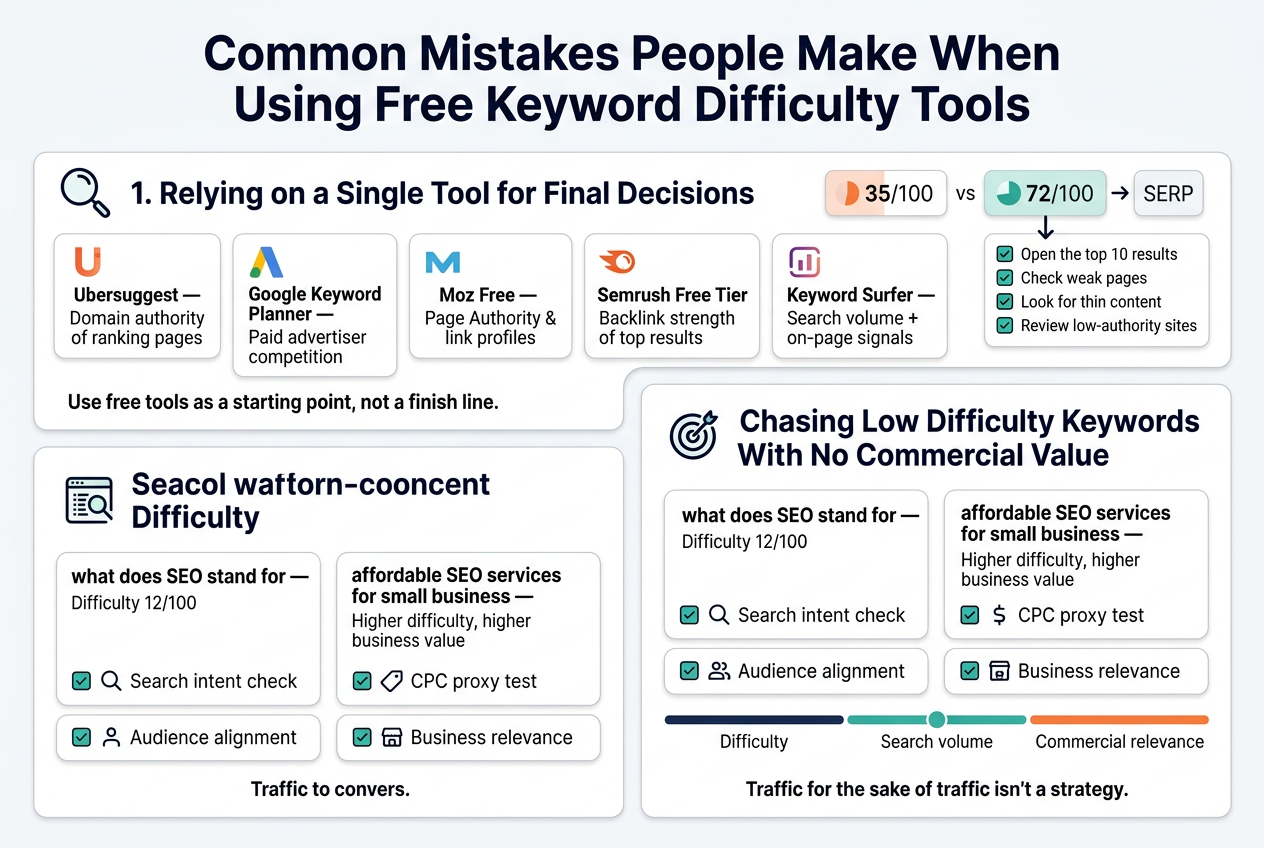
One of the biggest traps SEOs fall into is treating one free tool’s difficulty score as gospel. Here’s the thing — every tool calculates keyword difficulty differently. Google Keyword Planner focuses heavily on paid competition. Ubersuggest weighs domain authority signals in its own way. Moz looks at page-level authority metrics. Ahrefs factors in the number and quality of backlinks pointing to the top-ranking pages.
When you only check one tool, you’re getting one lens on a multi-dimensional problem.
A smarter approach is to cross-reference at least two or three tools before making a final call. Here’s a quick comparison of how popular free tools tend to differ:
| Tool | Primary Factor in KD Score | Best Used For |
|---|---|---|
| Ubersuggest | Domain authority of ranking pages | Quick initial research |
| Google Keyword Planner | Paid advertiser competition | Budget-conscious content planning |
| Moz Free (10 queries/mo) | Page Authority & link profiles | Authority-focused decisions |
| Semrush Free Tier | Backlink strength of top results | Competitive niche analysis |
| Keyword Surfer (Chrome) | Search volume + on-page signals | Fast SERP-level insights |
When tools disagree on difficulty — and they will — that’s actually useful data. A keyword scoring 35/100 on one platform but 72/100 on another signals you need to manually examine the SERP. Open the top 10 results yourself. Check for weak pages, thin content, or low-authority sites ranking despite the higher difficulty estimates. That manual review beats any automated score hands down.
The bottom line: use free tools as a starting point, not a finish line.
Chasing Low Difficulty Keywords With No Commercial Value
Low keyword difficulty feels like a shortcut to ranking success, and for good reason — ranking faster sounds amazing. But a lot of people pour energy into targeting easy keywords that bring zero business value, then wonder why their traffic doesn’t convert into leads, sales, or any measurable outcome.
Keyword difficulty and keyword value are completely separate conversations.
A keyword like “what does SEO stand for” might have a difficulty score of 12/100. You could rank for it fairly quickly. But the person searching that phrase is curious, not ready to buy anything. If you’re running an SEO agency, that traffic is unlikely to book a discovery call.
Contrast that with “affordable SEO services for small business” — higher difficulty, yes, but every person searching that is actively looking for a solution they’re willing to pay for.
Before targeting any low-difficulty keyword, run it through these quick checks: Related Article
- Search intent check — Is the searcher looking to buy, learn, or just browse? Informational intent is fine for building awareness, but you need a clear path to conversion somewhere in your funnel.
- CPC proxy test — Even if you don’t run paid ads, look at the cost-per-click data in Google Keyword Planner. A high CPC typically signals strong commercial intent. Advertisers don’t spend money on keywords that don’t convert.
- Audience alignment — Would your ideal customer realistically search this phrase? If the answer takes you more than three seconds to confirm, be cautious.
- Business relevance — Can you connect this keyword to a product, service, case study, or landing page? If it only connects to a blog post that leads nowhere, reconsider the priority.
A healthy keyword strategy balances three things: difficulty, search volume, and commercial relevance. Optimizing only for difficulty skews that balance badly. You end up with rankings that look good in a report but do nothing for your business goals.
Think of it this way — ranking #1 for a keyword nobody cares about, or one that only attracts people who’ll never buy, is the SEO equivalent of opening a store on an empty road. Traffic for the sake of traffic isn’t a strategy. Targeted, intentional traffic is.
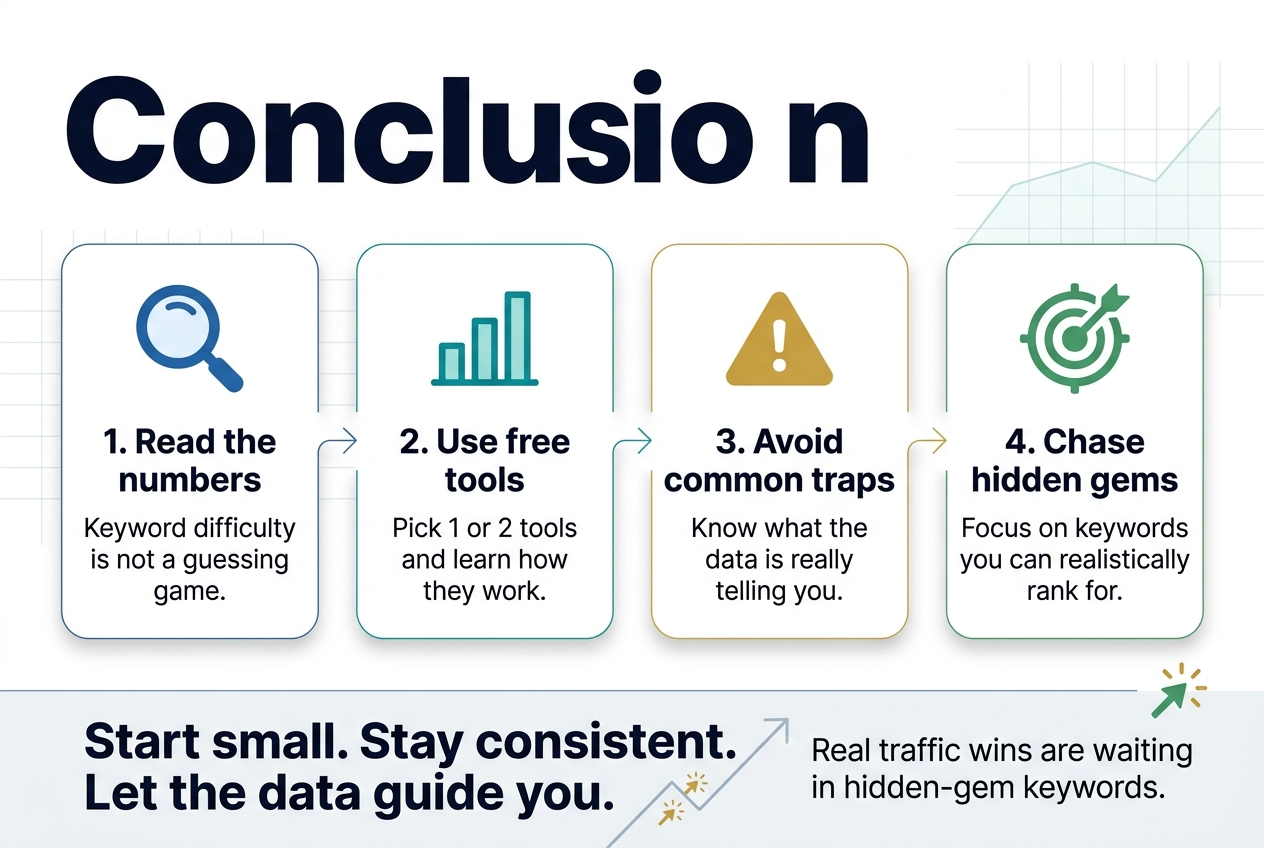
Getting a handle on keyword difficulty doesn’t have to cost you a thing. The right free tools give you a clear picture of where you stand, which keywords are actually worth chasing, and where you might be wasting your energy. Pair that with a solid understanding of what keyword difficulty really means for your SEO strategy, and you’re already ahead of most people trying to rank.
The biggest wins come from using the data smartly — not just collecting numbers, but letting them guide your content decisions. Avoid the common traps like obsessing over vanity keywords or ignoring search intent, and you’ll get a lot more mileage out of these free tools than you might expect. Pick one or two from the list, start checking your target keywords today, and let the data do the heavy lifting.
