
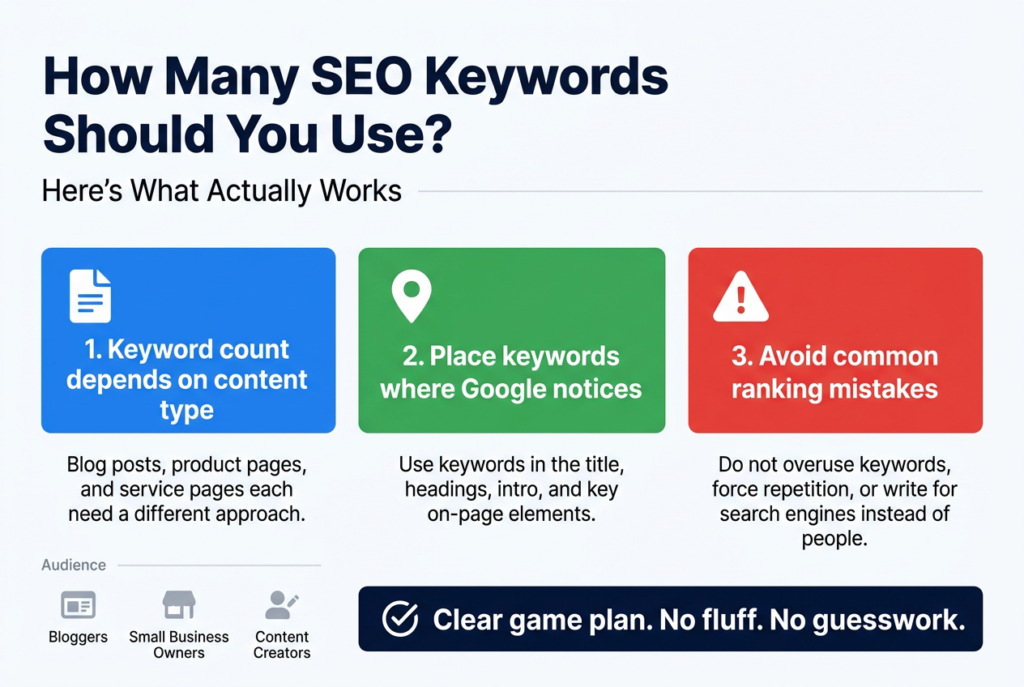
How Many SEO Keywords Should You Use? Here’s What Actually Works
If you’ve ever stared at a blank page wondering how many SEO keywords to use, you’re not alone. It’s one of the most common questions among bloggers, small business owners, and content creators who want their pages to rank without going overboard.
This guide breaks down exactly what you need to know. You’ll learn how keyword count changes depending on your content type, where to place keywords so Google actually notices them, and which common mistakes are quietly killing your rankings.
No fluff, no guesswork — just a clear game plan you can put to work today.
Understanding SEO Keywords and Why They Matter
What SEO Keywords Are and How They Work
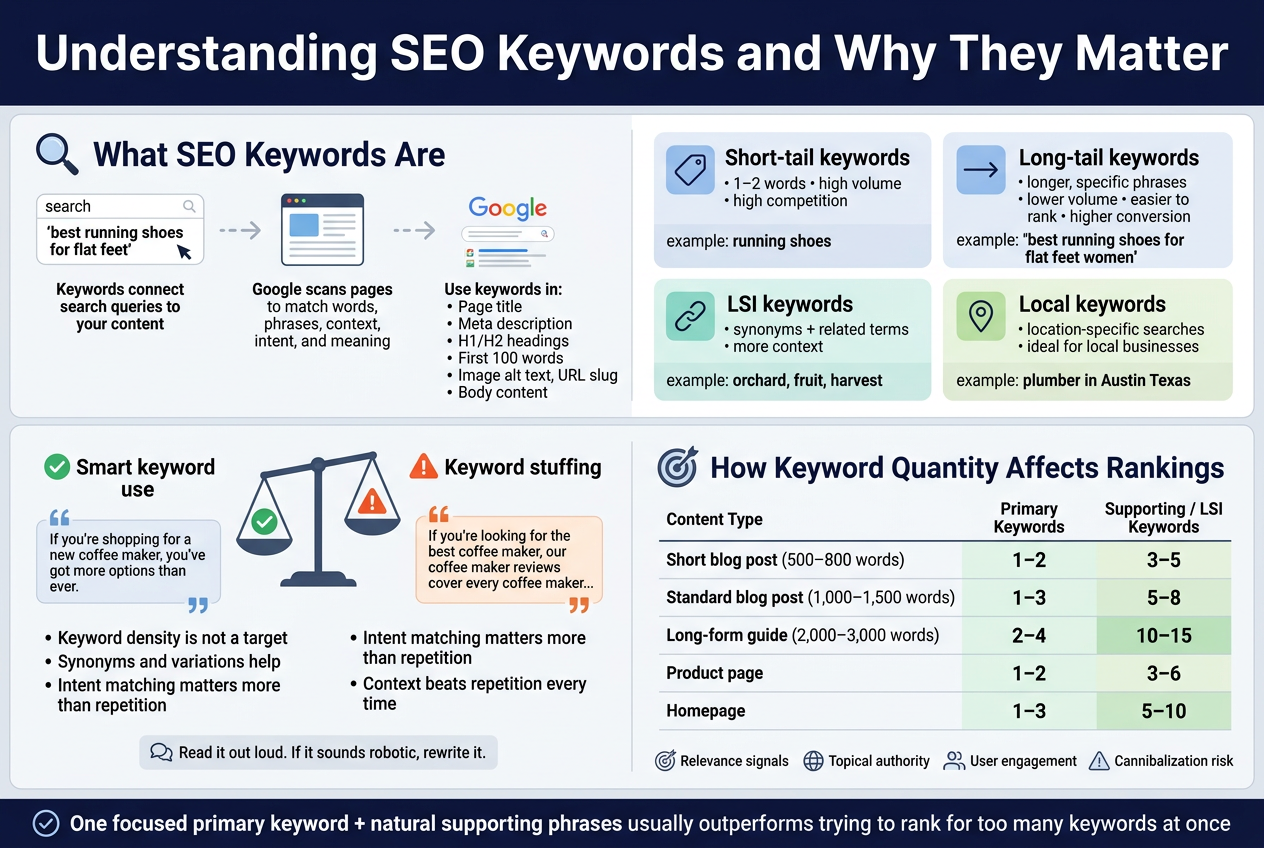
Think of SEO keywords as the bridge between what someone types into Google and the content you’ve created. When a person searches for “best running shoes for flat feet,” Google scans billions of pages to find content that best matches that phrase. The words and phrases you include in your content signal to Google what your page is actually about.
Keywords come in a few different forms, and understanding the difference matters:
- Short-tail keywords – These are broad, usually one to two words long. Example: “running shoes.” High search volume, but brutal competition.
- Long-tail keywords – Longer, more specific phrases like “best running shoes for flat feet women.” Lower search volume, but much easier to rank for and way more likely to convert.
- LSI keywords (Latent Semantic Indexing) – Related terms and synonyms that give Google additional context about your topic. If you’re writing about “apple,” using words like “orchard,” “fruit,” and “harvest” tells Google you’re not talking about the tech company.
- Local keywords – Location-specific phrases like “plumber in Austin Texas.” Critical for businesses targeting a specific geographic area.
Here’s how it actually works behind the scenes: search engines crawl your content, analyze the language you’ve used, and match your page to relevant search queries. Google’s algorithm has grown incredibly sophisticated — it doesn’t just look for exact phrase matches anymore. It reads context, intent, and meaning. So if you write naturally about a topic with depth, Google picks up on that.
Your keywords need to show up in strategic places to carry the most weight:
- Page title and meta description
- H1 and H2 headings
- The first 100 words of your content
- Image alt text
- URL slug
- Throughout the body content in a natural way
Why Keyword Quantity Affects Your Search Rankings
Here’s the honest truth — there’s no magic number that works for every piece of content. The right keyword quantity depends on the length of your content, the topic you’re covering, and the intent behind the search.
That said, chasing a specific number is the wrong approach entirely. Google’s ranking systems are built to reward relevance and quality, not keyword frequency. What actually matters is whether your content thoroughly covers the topic in a way that genuinely helps the reader.
Here’s a rough framework to think about:
| Content Type | Recommended Primary Keywords | Supporting/LSI Keywords |
|---|---|---|
| Short blog post (500–800 words) | 1–2 | 3–5 |
| Standard blog post (1,000–1,500 words) | 1–3 | 5–8 |
| Long-form guide (2,000–3,000 words) | 2–4 | 10–15 |
| Product page | 1–2 | 3–6 |
| Homepage | 1–3 | 5–10 |
The reason keyword quantity affects rankings comes down to a few key factors:
- Relevance signals – When you include a keyword and related terms naturally throughout your content, you’re sending consistent signals to Google that your page matches a specific search intent.
- Topical authority – Pages that cover a subject in depth, using a range of related keywords, tend to rank higher because Google sees them as authoritative on that topic.
- User engagement – Content that reads naturally keeps people on your page longer. A high dwell time (the amount of time someone spends on your page before going back to search results) is an indirect ranking signal. Keyword-stuffed content drives people away, which tanks your rankings.
- Cannibalization risk – Using too many different primary keywords on a single page can confuse Google about what your page should rank for, causing it to rank for nothing particularly well.
A single, focused primary keyword — with natural supporting phrases sprinkled throughout — almost always outperforms a page trying to rank for ten different things at once.
The Difference Between Keyword Stuffing and Smart Keyword Use
Keyword stuffing was a tactic from the early 2000s when SEOs figured out they could rank just by cramming a keyword into a page over and over again. Google caught on fast. Today, it’s not just ineffective — it actively gets your pages penalized.
Keyword stuffing looks like this:
> “If you’re looking for the best coffee maker, our coffee maker reviews cover every coffee maker on the market. Whether you want a budget coffee maker or a premium coffee maker, our coffee maker guide has you covered.”
Reading that is painful. It sounds robotic, it doesn’t help the reader, and Google’s algorithm flags it immediately.
Smart keyword use looks like this:
> “If you’re shopping for a new coffee maker, you’ve got more options than ever. From budget-friendly drip machines to high-end espresso setups, finding the right fit depends on how you actually drink coffee in the morning.”
Both pieces of content are clearly about coffee makers. But the second one reads like a human wrote it, and it naturally includes related terms like “drip machines,” “espresso setups,” and “budget-friendly” — all phrases that support the main keyword without forcing it.
Here are the core principles that separate smart keyword use from stuffing:
- Keyword density isn’t a target – Aiming for a specific keyword density percentage (like 2% or 3%) is outdated thinking. Write naturally, and if the topic demands it, the keyword will appear the right number of times on its own.
- Synonyms and variations are your friend – Instead of repeating the exact same phrase, swap in related terms. If your main keyword is “weight loss tips,” also use “how to lose weight,” “healthy habits for losing weight,” and “fat loss strategies.”
- Intent matching matters more than keyword frequency – Ask yourself: what does the person searching this keyword actually want to find? If your content delivers that answer clearly and completely, you’re on the right track regardless of how many times the exact keyword appears.
- Context beats repetition every time – A keyword appearing once in a highly relevant, well-written sentence carries more SEO value than the same keyword appearing ten times in awkward, forced sentences.
The clearest way to know if you’re crossing the line into stuffing territory: read your content out loud. If it sounds like a normal conversation, you’re fine. If it sounds like you’re trying to sell something to a robot, pull back and rewrite.
The Right Number of Keywords for Different Content Types
Ideal Keyword Count for Short Blog Posts and Articles
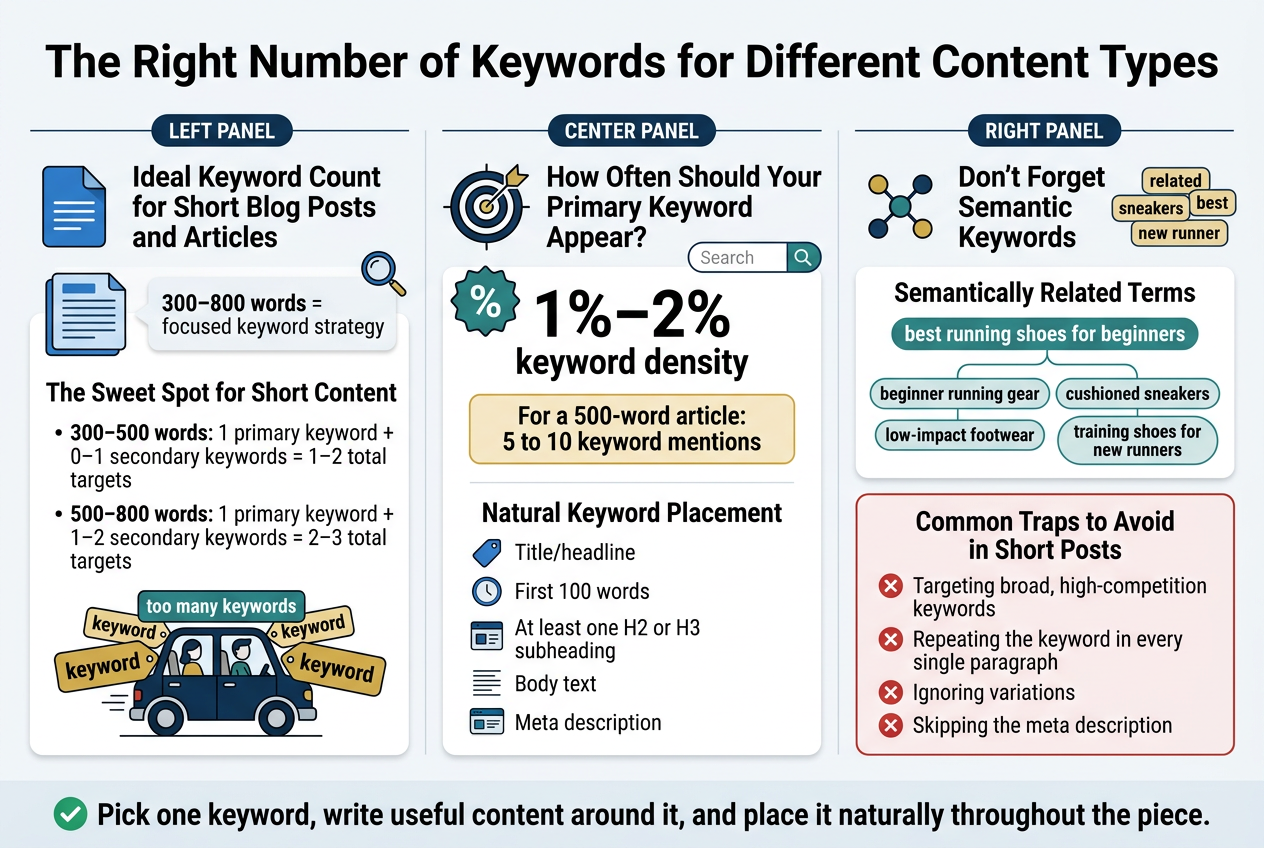
Short blog posts and articles — think anything in the 300 to 800-word range — need a focused, tight keyword strategy. Trying to rank for too many keywords in a short piece is like trying to fit five people into a two-seater car. It just doesn’t work well for anyone involved.
The Sweet Spot for Short Content
For a short blog post or article, you should aim to target one primary keyword and one to two supporting (secondary) keywords. That’s it. Going beyond that in a short piece means you’re either stuffing keywords unnaturally or you’re diluting your focus so much that the content doesn’t rank well for anything.
Here’s a simple breakdown of how keywords should be distributed in short content:
| Content Length | Primary Keywords | Secondary Keywords | Total Keyword Targets |
|---|---|---|---|
| 300–500 words | 1 | 0–1 | 1–2 |
| 500–800 words | 1 | 1–2 | 2–3 |
Why Less Is More in Short Articles
Short content has limited space to naturally work keywords into headings, body text, meta descriptions, and image alt text. When you try to squeeze in multiple primary keywords, you end up forcing them into sentences where they don’t belong — and readers can feel that immediately. It reads awkwardly, feels robotic, and search engines are smart enough to catch it too.
Google’s algorithm is designed to reward content that genuinely serves the reader. A short, well-crafted post that clearly answers one specific question and naturally weaves in a focused keyword will consistently outperform a bloated keyword list crammed into the same small space.
How Often Should Your Primary Keyword Appear?
A good rule of thumb for short posts is to aim for a keyword density of around 1% to 2%. For a 500-word article, that means your main keyword should appear roughly 5 to 10 times across the piece — including the title, at least one subheading, the opening paragraph, and the closing section.
Here’s what natural keyword placement looks like in a short post:
- Title/headline — include the primary keyword here
- First 100 words — drop the keyword early so readers and search engines know what the content is about
- At least one H2 or H3 subheading — work the keyword or a close variation in naturally
- Body text — sprinkle it in where it makes sense, not where it feels forced
- Meta description — always include it here for click-through rate benefits
Don’t Forget Semantic Keywords
Even in short content, you want to sprinkle in a few semantically related terms — words and phrases closely connected to your primary keyword. These aren’t extra keywords you’re trying to rank for separately. They just signal to search engines that your content fully covers the topic.
For example, if your primary keyword is “best running shoes for beginners,” semantically related terms might include:
- beginner running gear
- cushioned sneakers
- low-impact footwear
- training shoes for new runners
These terms give your content more depth without adding keyword clutter. Search engines pick up on this context and it helps your page rank more confidently for the primary term you’re going after.
Common Traps to Avoid in Short Posts
- Targeting broad, high-competition keywords — short posts don’t have enough content authority to compete for these; stick to long-tail keywords that are more specific and easier to rank for
- Repeating the keyword in every single paragraph — it feels unnatural and can trigger over-optimization signals
- Ignoring variations — using the exact same phrase repeatedly looks spammy; mix in natural variations like synonyms or related phrases
- Skipping the meta description — this is prime real estate for your keyword and directly affects whether someone clicks your link in search results
Short content works best when it has a clear, singular purpose. Pick one keyword, write genuinely useful content around it, and place it naturally throughout the piece. That approach wins every time.
How to Choose the Best Keywords for Maximum Impact
Focus on Primary Keywords to Anchor Your Content
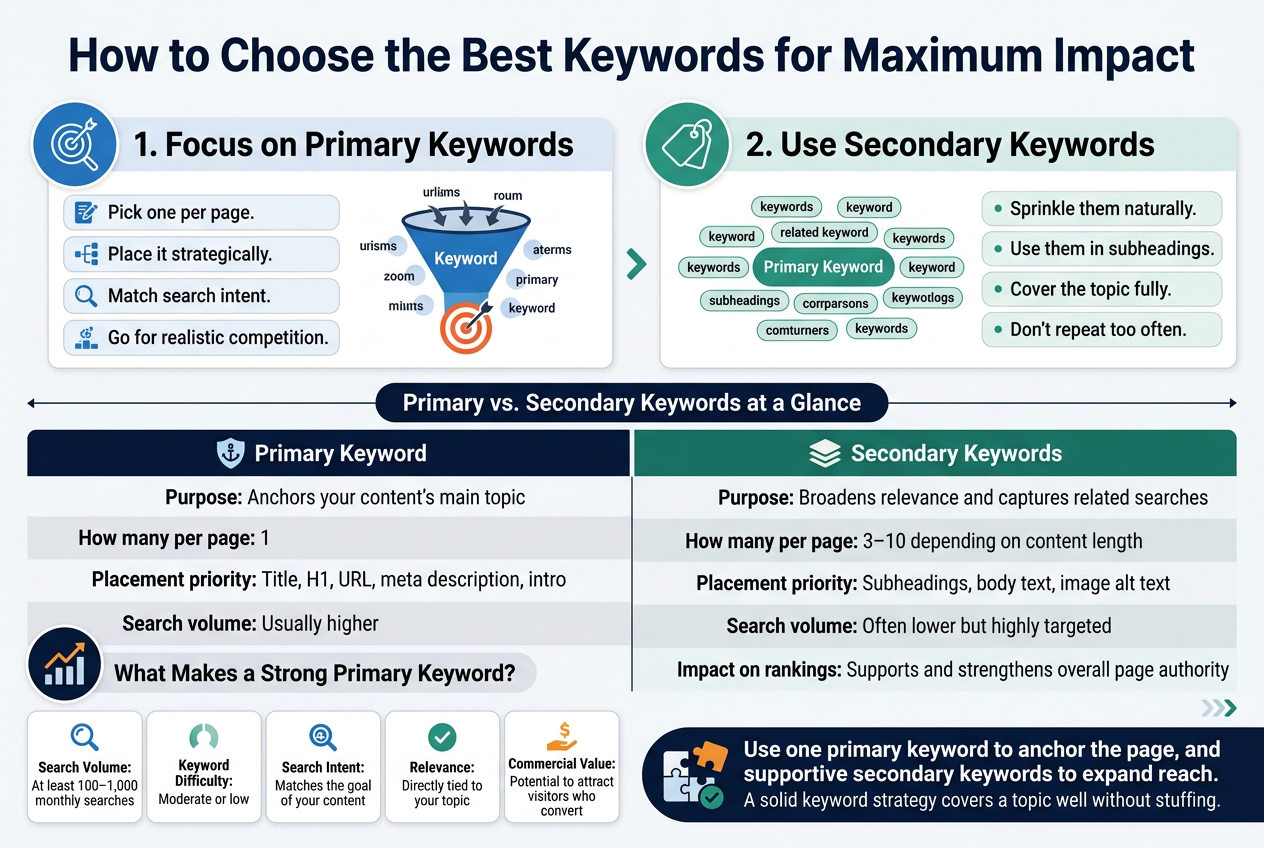
Your primary keyword is the spine of your content. It’s the main term you want to rank for, and everything else in your piece should orbit around it. Think of it as the one phrase that perfectly captures what your page is about — if someone searched that exact term, they should land on your content and feel like they found exactly what they were looking for.
Here’s how to work with primary keywords the right way:
- Pick one per page. Trying to rank for multiple unrelated primary terms on a single page dilutes your focus. One page, one main keyword.
- Place it strategically. Your primary keyword should appear in your title tag, H1 heading, the first 100 words of your content, at least one subheading, the meta description, and the URL slug.
- Match search intent. A keyword can look great on paper but still tank your rankings if the content doesn’t match what searchers actually want. Someone searching “best running shoes” wants a comparison list, not a history of footwear.
- Go for realistic competition. If you’re a newer site, targeting a high-volume primary keyword dominated by massive brands is a tough battle to win. Look for keywords with decent traffic but manageable competition.
What Makes a Strong Primary Keyword?
| Factor | What to Look For |
|---|---|
| Search Volume | At least 100–1,000 monthly searches, depending on your niche |
| Keyword Difficulty | Moderate or low if your domain authority is still growing |
| Search Intent | Matches the goal of your content (informational, transactional, navigational) |
| Relevance | Directly tied to your product, service, or topic |
| Commercial Value | Has the potential to attract visitors who convert |
Once you nail down the right primary keyword, you’ve got a strong anchor. Now it’s time to build around it.
Use Secondary Keywords to Broaden Your Reach
Secondary keywords are where a lot of the hidden traffic lives. These are related terms, synonyms, variations, and subtopics that connect naturally to your primary keyword. When you weave them into your content, you’re essentially casting a wider net — capturing searchers who phrase their queries slightly differently but are still looking for what you offer.
Think about it this way: if your primary keyword is “how many SEO keywords should I use,” secondary keywords might include:
- keyword density for SEO
- how many keywords per page
- SEO keyword best practices
- number of keywords per blog post
- keyword optimization tips
All of these terms are closely related, and someone searching any of them is likely a great fit for your content.
How to Use Secondary Keywords Without Overdoing It
- Sprinkle them naturally. Secondary keywords should flow into your writing without feeling forced. If you’re reading a sentence back and it sounds awkward, rewrite it.
- Use them in subheadings where it makes sense. H2 and H3 tags carry SEO weight. If a secondary keyword fits naturally into a subheading, use it.
- Cover the topic fully. When you address related subtopics, you’re naturally pulling in secondary keywords without having to hunt for places to put them. Write comprehensively and they’ll appear on their own.
- Don’t repeat the same secondary keyword too many times. Once or twice is usually enough to signal relevance to search engines.
Primary vs. Secondary Keywords at a Glance
| Primary Keyword | Secondary Keywords | |
|---|---|---|
| Purpose | Anchors your content’s main topic | Broadens relevance and captures related searches |
| How many per page | 1 | 3–10 depending on content length |
| Placement priority | Title, H1, URL, meta description, intro | Subheadings, body text, image alt text |
| Search volume | Usually higher | Often lower but highly targeted |
| Impact on rankings | Core ranking signal | Supports and strengthens overall page authority |
Secondary keywords also give you natural opportunities to build out your content. If you’re writing about a topic and you notice a cluster of related terms, that’s your signal to go deeper. Create sections that address those subtopics, and you’ll end up with a richer, more useful piece of content — which search engines and readers both appreciate.
A solid keyword strategy isn’t about stuffing as many terms as possible into a page. It’s about building content that genuinely covers a topic well, with a clear focus on one primary keyword and thoughtful use of secondary terms that support and expand on it.
Common Keyword Mistakes That Hurt Your Rankings
Using Too Many Keywords and Triggering Spam Filters
Stuffing your content with keywords is one of the fastest ways to tank your SEO efforts. Search engines like Google have gotten incredibly smart over the years, and they can spot keyword-heavy content from a mile away. When you repeat the same keyword over and over in an unnatural way, Google flags it as manipulative — and the penalty can be brutal.
What Keyword Stuffing Actually Looks Like
Keyword stuffing happens in several forms, and some of them are sneaky enough that website owners don’t even realize they’re doing it:
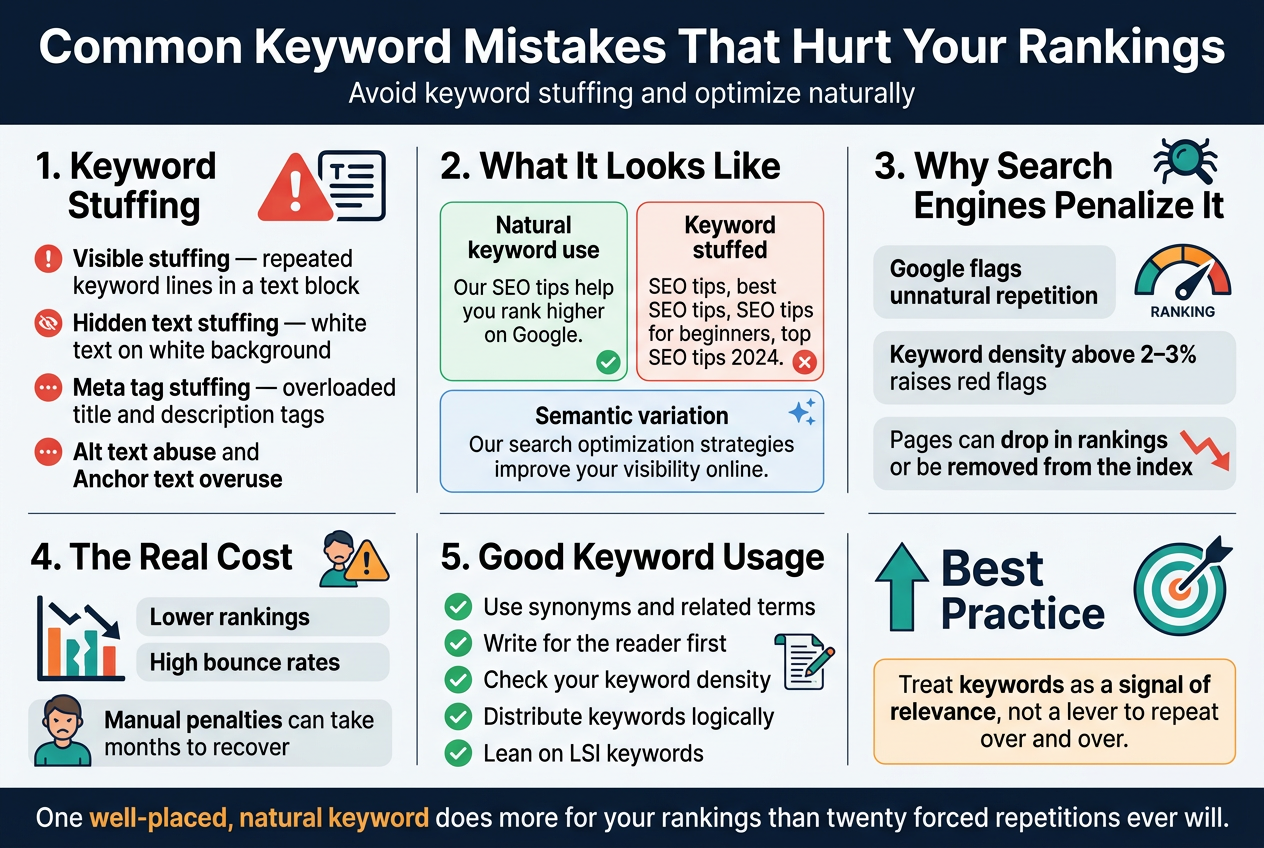
- Visible stuffing – Repeating your target keyword so many times in the body text that the sentences start to sound robotic or awkward
- Hidden text stuffing – Hiding keywords in white text on a white background (yes, people still try this — it doesn’t work)
- Meta tag stuffing – Packing your meta description or title tags with dozens of keyword variations
- Alt text abuse – Filling image alt attributes with keyword strings instead of actual descriptions of the image
- Anchor text overuse – Linking the same exact-match keyword phrase repeatedly throughout a page
Here’s a quick comparison to show the difference between healthy keyword use and stuffing:
| Approach | Example | Result |
|---|---|---|
| Natural keyword use | “Our SEO tips help you rank higher on Google.” | Reads well, trusted by search engines |
| Keyword stuffed | “SEO tips, best SEO tips, SEO tips for beginners, top SEO tips 2024.” | Looks spammy, hurts rankings |
| Semantic variation | “Our search optimization strategies improve your visibility online.” | Strengthens topical authority |
Why Search Engines Penalize Over-Optimized Content
Google’s algorithms — including Panda and more recent core updates — specifically target low-quality, over-optimized pages. When your keyword density climbs too high (generally anything above 2–3% starts raising red flags), Google interprets it as an attempt to game the system rather than genuinely help users.
The outcome? Your page gets pushed down in the rankings, or in serious cases, removed from the index entirely. Spam filters are not just theoretical — they’re actively working every time Google crawls your content.
Beyond the algorithm side of things, real human visitors notice keyword stuffing too. When a paragraph reads like it was written by a broken robot, people bounce off the page immediately. High bounce rates send a negative signal back to Google, compounding the ranking damage.
The Sweet Spot: What Good Keyword Usage Looks Like
Instead of targeting a specific number of repetitions, focus on writing content that answers a question or solves a problem thoroughly. When you do that, keywords naturally appear where they belong — in the headline, the first paragraph, a few subheadings, and organically throughout the body.
Some practical habits that keep you out of the spam zone:
- Use synonyms and related terms – Instead of repeating “SEO keywords” fifteen times, mix in phrases like “search terms,” “target phrases,” or “ranking keywords”
- Write for the reader first – If a sentence sounds weird out loud, it probably has too many keywords crammed in
- Check your keyword density – Tools like Yoast SEO, Surfer SEO, or even a simple word count check can help you keep density in a healthy range
- Distribute keywords logically – Your main keyword should appear in the title, URL, first 100 words, and a couple of subheadings — after that, let it breathe
- Lean on LSI keywords – Latent Semantic Indexing keywords are related terms that reinforce your topic without requiring you to repeat the exact keyword phrase
The Real Cost of Over-Optimizing
The damage from keyword stuffing isn’t always immediate, which makes it deceptive. A page might rank okay for a short period, especially on newer or less competitive queries. But once Google’s crawlers get a proper look at the content and user signals start rolling in, the drop usually comes fast.
Recovering from a manual penalty (where a Google reviewer actually flags your site) can take months of cleanup work — rewriting content, disavowing bad links, and filing reconsideration requests. Algorithmic penalties are less obvious but equally damaging, quietly suppressing your visibility without a formal notice.
The simplest way to avoid all of this? Treat keywords as a tool for signaling relevance, not as a lever to pull over and over until something happens. One well-placed, natural keyword does more for your rankings than twenty forced repetitions ever will.
Tools and Strategies to Find and Track the Right Keywords
Top Free Tools to Discover High-Value Keywords
Finding the right keywords doesn’t have to cost you anything — at least not at the start. There are some genuinely powerful free tools that can help you uncover keywords with real traffic potential, understand what your audience is searching for, and figure out where your competitors are winning.
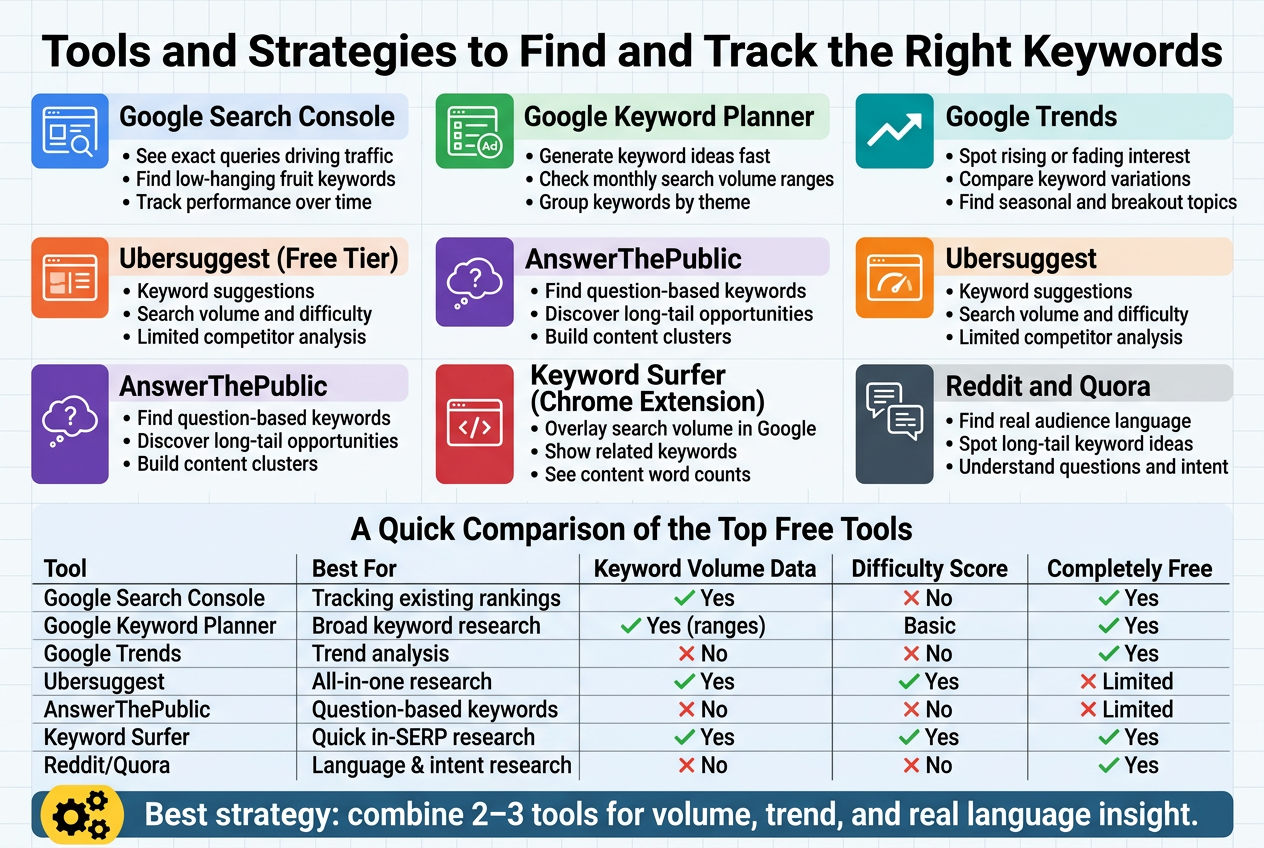
Google Search Console
If you already have a website, this is the first place you should be looking. Google Search Console shows you the exact queries people are typing in before clicking on your site. You get real data — impressions, clicks, average position — straight from Google itself. That makes it incredibly useful for finding keywords you’re already ranking for but haven’t fully optimized yet. Sometimes you’ll spot a keyword sitting at position 8 or 9 that just needs a little push to break into the top 5.
What you can do with it:
- See which keywords are driving traffic to each page
- Identify low-hanging fruit keywords (ranking on page 2 but close to page 1)
- Track performance over time and spot drops before they become problems
Google Keyword Planner
Originally built for Google Ads, Keyword Planner is still one of the best free tools for SEO research. You can plug in a seed keyword and get hundreds of related keyword ideas, along with monthly search volume ranges and competition levels.
The catch? The search volume data shows ranges rather than exact numbers unless you’re running active ad campaigns. But for most bloggers and small site owners, those ranges are good enough to make smart decisions.
Best used for:
- Generating a large list of keyword ideas fast
- Understanding general search demand
- Grouping keywords by theme for content planning
Google Trends
Google Trends tells you whether interest in a keyword is growing, shrinking, or staying flat over time. This is huge for deciding whether a topic is worth investing in. You don’t want to spend hours writing a detailed post about something that peaked three years ago and is now fading out.
You can also compare two or more keywords side by side, which helps when you’re deciding which angle to take on a topic.
Practical uses:
- Spotting seasonal keyword trends before they peak
- Comparing keyword variations to pick the stronger one
- Finding breakout topics in your niche before they get competitive
Ubersuggest (Free Tier)
Neil Patel’s Ubersuggest gives you a solid free experience — keyword suggestions, search volume, SEO difficulty scores, and even some competitor analysis. The free version has daily limits, but if you’re doing research in focused sessions, it’s more than enough to build a strong keyword list.
| Feature | Available on Free Plan |
|---|---|
| Keyword suggestions | ✅ Yes |
| Search volume data | ✅ Yes |
| SEO difficulty score | ✅ Yes |
| Competitor keyword analysis | ⚠️ Limited |
| Content ideas | ✅ Yes |
| Daily search limit | ⚠️ Restricted |
AnswerThePublic
This tool takes a different angle. Instead of showing you search volumes, it maps out the questions, prepositions, and comparisons people use around a keyword. Think “how,” “why,” “when,” “vs,” and “for” variations — all organized visually.
It’s perfect for finding long-tail keyword opportunities and getting content ideas that directly match what people are curious about. The free version limits your daily searches, so use it strategically.
Best for:
- Finding question-based keywords for blog posts and FAQs
- Understanding the full range of what your audience wants to know
- Building content clusters around a central topic
Keyword Surfer (Chrome Extension)
Keyword Surfer is a free Chrome extension that overlays search volume data, related keywords, and content word counts directly into your Google search results page. No switching tabs, no logging in — the data just shows up as you search.
It’s a lightweight but genuinely useful tool for anyone who does keyword research directly in Google. When you’re browsing search results and want quick data without opening a full SEO platform, this extension gets the job done.
Reddit and Quora
These aren’t traditional keyword tools, but they’re goldmines for understanding the language your audience actually uses. Search your topic on Reddit or Quora and pay attention to the exact phrases people use in their questions and comments. Those phrases often turn into fantastic long-tail keyword ideas that tools alone might miss.
Real people asking real questions in their own words — that’s the kind of language your content should mirror if you want to rank and actually connect with readers.
A Quick Comparison of the Top Free Tools
| Tool | Best For | Keyword Volume Data | Difficulty Score | Completely Free |
|---|---|---|---|---|
| Google Search Console | Tracking existing rankings | ✅ Yes | ❌ No | ✅ Yes |
| Google Keyword Planner | Broad keyword research | ✅ (ranges) | ✅ Basic | ✅ Yes |
| Google Trends | Trend analysis | ❌ No | ❌ No | ✅ Yes |
| Ubersuggest | All-in-one research | ✅ Yes | ✅ Yes | ⚠️ Limited |
| AnswerThePublic | Question-based keywords | ❌ No | ❌ No | ⚠️ Limited |
| Keyword Surfer | Quick in-SERP research | ✅ Yes | ✅ Yes | ✅ Yes |
| Reddit/Quora | Language & intent research | ❌ No | ❌ No | ✅ Yes |
The smartest approach is to combine two or three of these tools rather than relying on just one. Start with Google Keyword Planner or Ubersuggest for volume and difficulty data, cross-reference with Google Trends to check momentum, and then dig into AnswerThePublic or Reddit to get into the real language your audience is using. That combination gives you both the numbers and the nuance — which is where the best keyword strategies are built.
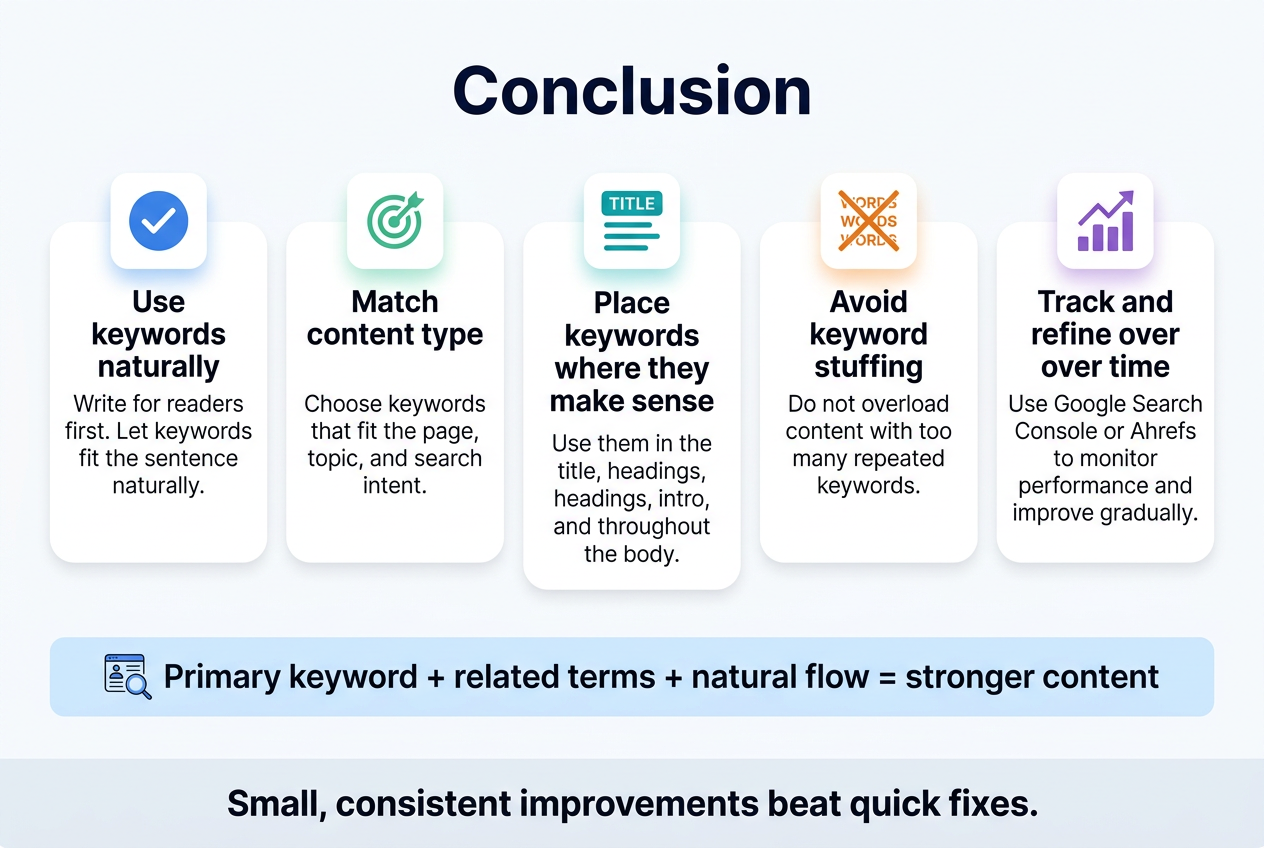
Getting your keyword strategy right doesn’t have to be complicated. Focus on using keywords naturally, match them to your content type, and place them where they actually make sense — in your title, headings, intro, and throughout the body. Avoid stuffing your content with too many keywords or chasing terms that are way too competitive for where your site stands right now.
The real goal is to write content that helps your readers while giving search engines enough signals to understand what your page is about. Start with a primary keyword, add a few related terms, and let the content flow naturally. Use tools like Google Search Console or Ahrefs to track what’s working, and keep refining your approach over time. Small, consistent improvements to your keyword strategy will do far more for your rankings than any quick fix.
