

If you’ve been creating content but not seeing traffic, or ranking on Google but struggling to convert readers, you’re in the right place.
This guide is for marketers, bloggers, and small business owners who want their content to actually work — not just exist on the internet.
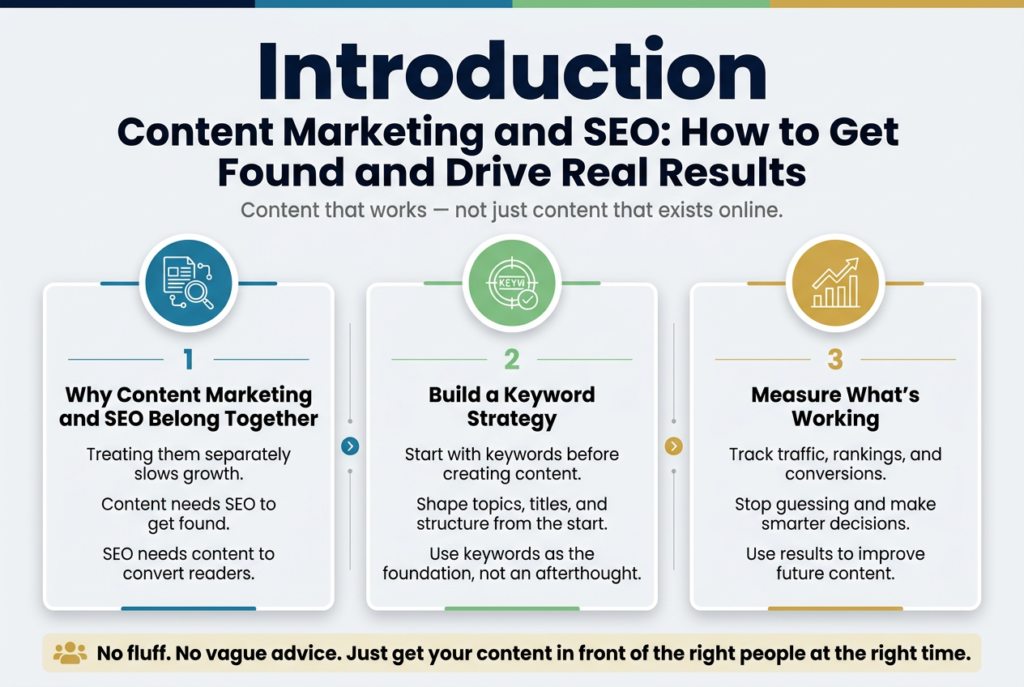
Here’s what we’re covering:
- Why content marketing and SEO belong together — and how treating them separately is slowing your growth
- How to build a keyword strategy that shapes your content from the start, not as an afterthought
- How to measure what’s working so you stop guessing and start making smarter decisions
No fluff, no vague advice — just a clear breakdown of how to get your content in front of the right people at the right time.
Understanding the Powerful Connection Between Content Marketing and SEO
How Quality Content Drives Organic Search Rankings
Content marketing and SEO are not two separate strategies competing for your budget and attention. They are two sides of the same coin, and when you treat them that way, your results multiply fast.
Think about what a search engine actually does. It crawls the web looking for pages that answer questions people are typing into that search bar. When your content genuinely solves a problem, answers a question, or teaches someone something useful, search engines take notice. The better your content does that job, the more likely it is to rise through the rankings.
Here is why this matters in practice:
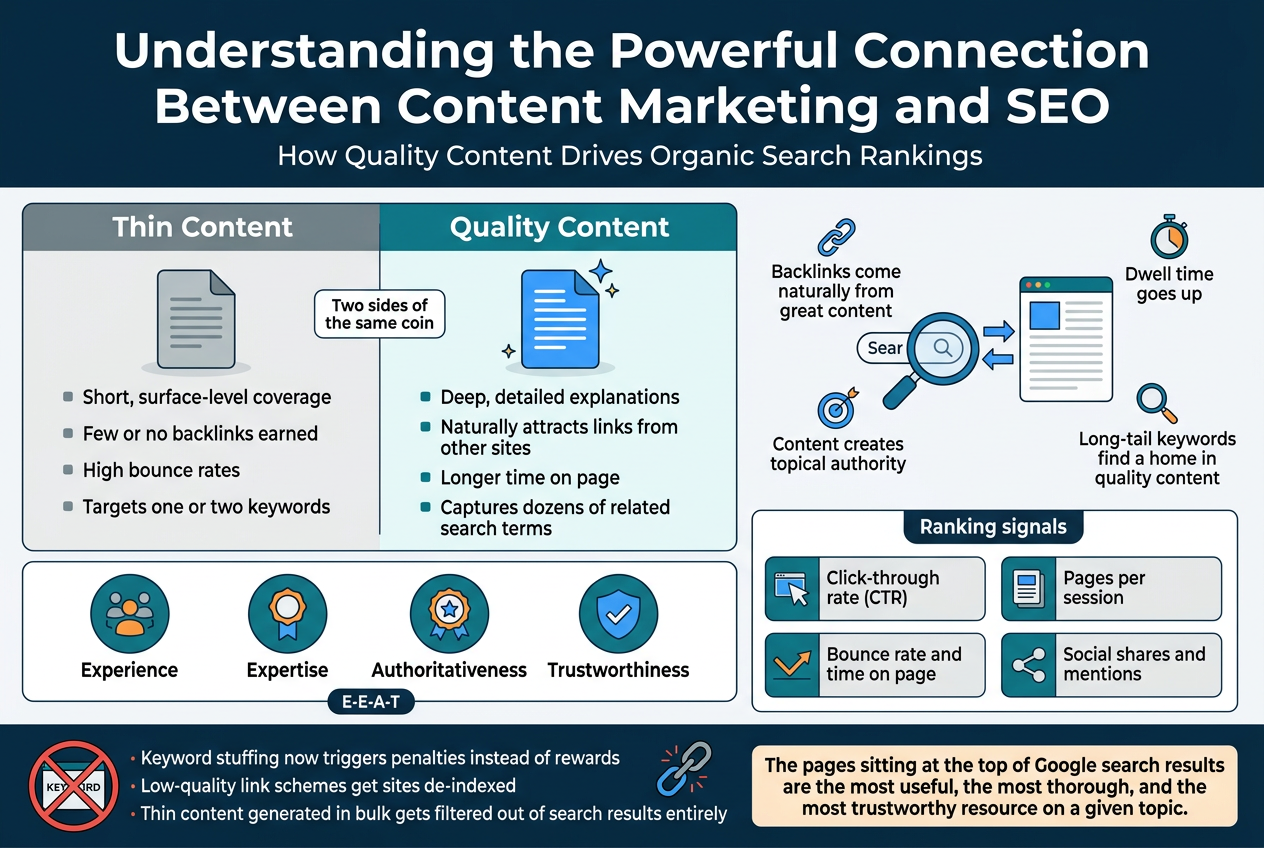
- Backlinks come naturally from great content. When you publish something genuinely helpful or insightful, other websites link to it. Those links act like votes of confidence in the eyes of search engines, pushing your page higher.
- Dwell time goes up. When visitors actually read your content instead of bouncing back to the search results, search engines read that as a signal that your page delivered real value.
- Content creates topical authority. Publishing consistently around a subject tells search engines that your site is a trusted resource on that topic, not just a one-off page that happened to rank.
- Long-tail keywords find a home in quality content. Detailed, thorough articles naturally capture dozens of search phrases that shorter, thin content never touches.
| Thin Content | Quality Content |
|---|---|
| Short, surface-level coverage | Deep, detailed explanations |
| Few or no backlinks earned | Naturally attracts links from other sites |
| High bounce rates | Longer time on page |
| Targets one or two keywords | Captures dozens of related search terms |
| Rarely shared on social media | Frequently shared and referenced |
The pages sitting at the top of Google search results are not there by accident. They earned their spot by being the most useful, the most thorough, and the most trustworthy resource on a given topic.
Why Search Engines Reward Well-Crafted Content
Search engines have one job: give users the best possible answer to their query. Google, Bing, and others have built incredibly sophisticated algorithms, but their north star has never changed. Every major algorithm update over the past decade, from Panda to Helpful Content, has pushed in the same direction — reward content that genuinely helps people and punish content that exists purely to game the system.
What Search Engines Are Actually Looking For
When a search engine evaluates your content, it is checking for signals that indicate real quality. These include:
- Expertise — Does the content show genuine knowledge of the subject? Is it accurate and detailed?
- Experience — Does the author or site have real-world experience with the topic they are covering?
- Authoritativeness — Is the site recognized as a credible source within its niche?
- Trustworthiness — Is the information reliable, well-cited, and presented honestly?
Google bundles these signals into a framework commonly called E-E-A-T (Experience, Expertise, Authoritativeness, Trustworthiness). Content that hits all four of these marks consistently gets rewarded with better rankings.
The Content Quality Signals That Actually Move Rankings
Beyond E-E-A-T, search engines pick up on dozens of behavioral and technical signals that reflect content quality:
- Click-through rate (CTR): If people see your page in search results and click on it, that tells search engines your title and description match what people want.
- Bounce rate and time on page: A visitor who reads for five minutes signals strong content. A visitor who leaves in ten seconds signals the opposite.
- Pages per session: When a reader finishes one piece and clicks to read another, that tells search engines your content ecosystem is valuable, not just a single lucky post.
- Social shares and mentions: While not a direct ranking factor, content that spreads across the web tends to earn more links and traffic, both of which are direct ranking factors.
Why Shortcuts Do Not Work Anymore
Years ago, you could stuff a page with keywords, buy a batch of cheap backlinks, and climb the rankings quickly. Those days are long gone. Search engines have grown smart enough to recognize the difference between content written for algorithms and content written for real people.
Keyword stuffing now triggers penalties instead of rewards. Low-quality link schemes get sites de-indexed. Thin content generated in bulk gets filtered out of search results entirely.
The brands winning in search today are the ones who treat content marketing as a genuine investment in their audience. They publish content that educates, entertains, or solves real problems. They build trust over time. And search engines reward exactly that — because it aligns perfectly with their own goal of connecting people with the best possible answers.
Building a Winning Keyword Strategy for Your Content
Finding High-Value Keywords Your Audience Actually Searches For
Before you write a single word of content, you need to know what your audience is actually typing into Google. Guessing never works well here. The good news is there are proven ways to uncover the exact phrases and questions your ideal readers are searching for — and once you have those, your content strategy becomes a whole lot sharper.
Start With Your Audience, Not a Tool
The biggest mistake people make is jumping straight into a keyword tool without first thinking about their audience’s pain points, goals, and language. Spend time asking yourself:
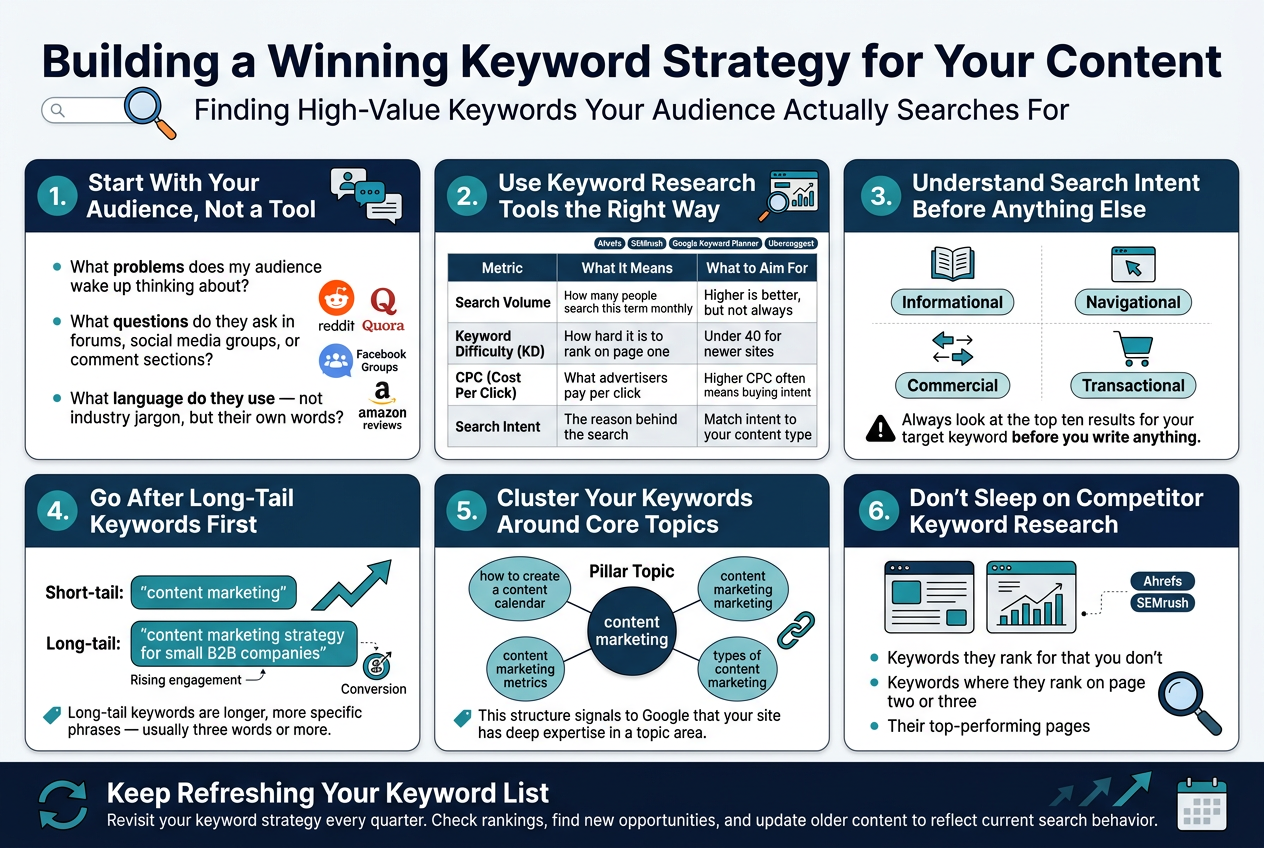
- What problems does my audience wake up thinking about?
- What questions do they ask in forums, social media groups, or comment sections?
- What language do they use — not industry jargon, but their own words?
Platforms like Reddit, Quora, Facebook Groups, and even Amazon reviews are goldmines for this. When someone describes their problem in their own words, that’s often the exact phrase they’ll search for later.
Use Keyword Research Tools the Right Way
Once you have a rough idea of topics, tools like Ahrefs, SEMrush, Google Keyword Planner, and Ubersuggest help you validate whether people are actually searching for those terms — and how competitive they are.
Here’s a quick breakdown of what to look for:
| Metric | What It Means | What to Aim For |
|---|---|---|
| Search Volume | How many people search this term monthly | Higher is better, but not always |
| Keyword Difficulty (KD) | How hard it is to rank on page one | Under 40 for newer sites |
| CPC (Cost Per Click) | What advertisers pay per click | Higher CPC often means buying intent |
| Search Intent | The reason behind the search | Match intent to your content type |
Understand Search Intent Before Anything Else
Search intent is the single most important factor people overlook. Every keyword falls into one of these four categories:
- Informational — The person wants to learn something (“how does content marketing work”)
- Navigational — They’re looking for a specific site or brand (“HubSpot blog”)
- Commercial — They’re comparing options before buying (“best SEO tools for small businesses”)
- Transactional — They’re ready to buy or take action (“buy SEMrush subscription”)
If you write a product-focused sales page targeting an informational keyword, Google won’t rank it — and even if it somehow shows up, visitors will bounce immediately because they wanted an educational article, not a sales pitch.
Always look at the top ten results for your target keyword before you write anything. That shows you exactly what type of content Google believes best answers the query.
Go After Long-Tail Keywords First
Long-tail keywords are longer, more specific phrases — usually three words or more. They have lower search volume individually, but they make up the majority of all searches and are far easier to rank for.
For example:
- Short-tail: “content marketing” (extremely competitive, vague intent)
- Long-tail: “content marketing strategy for small B2B companies” (specific, actionable, easier to rank)
The people searching long-tail keywords are also further along in their thinking. They know what they want, which means higher engagement and better conversion rates for your content.
Cluster Your Keywords Around Core Topics
Rather than treating each keyword as a standalone piece of content, group related keywords into topic clusters. Here’s how it works:
- Pick a broad pillar topic (e.g., “content marketing”)
- Identify a group of related cluster keywords (e.g., “how to create a content calendar,” “content marketing metrics,” “types of content marketing”)
- Build individual pieces of content around each cluster keyword
- Link them all back to your main pillar page
This structure signals to Google that your site has deep expertise in a topic area, which boosts the authority of every page in the cluster — not just the main one.
Don’t Sleep on Competitor Keyword Research
One of the fastest ways to find high-value keywords is to look at what’s already working for your competitors. Tools like Ahrefs and SEMrush let you plug in a competitor’s URL and see exactly which keywords are driving traffic to their site.
Look for:
- Keywords they rank for that you don’t — low-hanging fruit you’re missing
- Keywords where they rank on page two or three — gaps you might be able to outrank them on
- Their top-performing pages — reverse-engineer what made those pages successful
Keep Refreshing Your Keyword List
Your audience’s language changes. New trends emerge. Old topics fade. Make it a habit to revisit your keyword strategy every quarter. Check which of your existing pages have dropped in rankings, look for new keyword opportunities related to your niche, and update older content to reflect current search behavior.
A keyword strategy isn’t a one-time project — it’s an ongoing process that keeps your content aligned with what real people are actually looking for right now.
Measuring the Success of Your Content Marketing and SEO Efforts
Using Google Analytics and Search Console to Track Performance
Tracking how your content is actually performing is where most marketers drop the ball. They publish great content, cross their fingers, and move on. But without proper measurement, you’re essentially flying blind — and that’s a costly mistake when you’re investing real time and money into content marketing and SEO.
Google Analytics and Google Search Console are your two best free tools for understanding what’s working and what’s not. Used together, they paint a remarkably detailed picture of your content’s health and performance.
Getting the Most Out of Google Analytics
Google Analytics (GA4) helps you understand what happens after someone lands on your page. Here’s what to keep a close eye on:
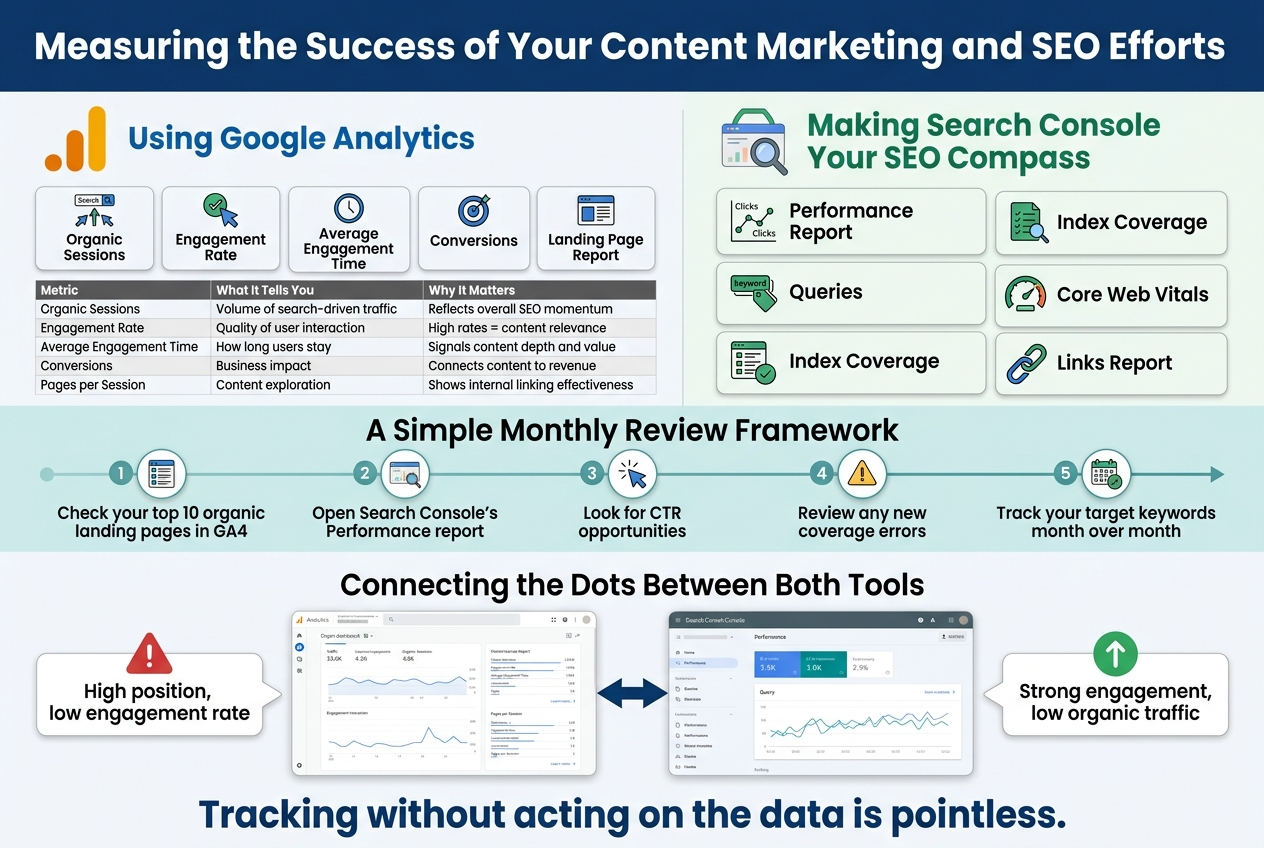
- Organic Sessions — How many visitors are arriving through search engines? This is a direct reflection of your SEO efforts. A consistent upward trend here means your keyword strategy is paying off.
- Engagement Rate — GA4 replaces the old bounce rate metric with engagement rate, which tells you the percentage of sessions where users actually interacted with your page. A high engagement rate signals that your content is resonating.
- Average Engagement Time — Are people spending three seconds or three minutes on your page? Longer time on page typically means users find your content genuinely helpful.
- Conversions and Goal Completions — Content marketing isn’t just about traffic. Set up conversion events (newsletter sign-ups, demo requests, purchases) so you can tie your content directly to business outcomes.
- Landing Page Report — In GA4, the landing page report shows which specific pages are driving the most organic traffic. This helps you identify your strongest content assets and understand what topic angles are resonating most.
| Metric | What It Tells You | Why It Matters |
|---|---|---|
| Organic Sessions | Volume of search-driven traffic | Reflects overall SEO momentum |
| Engagement Rate | Quality of user interaction | High rates = content relevance |
| Average Engagement Time | How long users stay | Signals content depth and value |
| Conversions | Business impact | Connects content to revenue |
| Pages per Session | Content exploration | Shows internal linking effectiveness |
Making Search Console Your SEO Compass
While Google Analytics tells you what users do on your site, Google Search Console tells you how Google sees your site. It’s an entirely different — and equally important — perspective.
Here are the key areas to dig into regularly:
- Performance Report — This shows your total clicks, impressions, average click-through rate (CTR), and average position for specific queries. Filter by page to see exactly which pieces of content are ranking and for what keywords.
- Queries — The search queries report is pure gold. It shows the exact search terms bringing people to your pages. Look for queries where you’re getting lots of impressions but low clicks — that’s a signal to rewrite your meta title and description to be more compelling.
- Index Coverage — Make sure Google can actually crawl and index your pages. Any errors here mean your content isn’t even showing up in search results, no matter how good it is.
- Core Web Vitals — Page experience signals directly affect rankings. Search Console gives you a breakdown of how your pages perform on loading speed, interactivity, and visual stability.
- Links Report — See which of your pages have the most backlinks and internal links. This helps you identify your most authoritative content and build smarter internal linking strategies.
A Simple Monthly Review Framework
Tracking performance shouldn’t feel overwhelming. Set up a monthly cadence where you review these specific things:
- Check your top 10 organic landing pages in GA4 — are they growing or declining?
- Open Search Console’s Performance report and sort by impressions — identify any pages sitting between positions 5–15 that could rank higher with a content refresh.
- Look for CTR opportunities — pages with high impressions but below-average CTR (typically under 3–5%) need better meta descriptions and titles.
- Review any new coverage errors in Search Console so indexing issues don’t quietly tank your rankings.
- Track your target keywords month over month to see directional movement.
Connecting the Dots Between Both Tools
The real magic happens when you connect GA4 and Search Console data. You can link both platforms inside GA4 and access a blended report that shows organic search performance alongside on-site behavior metrics — all in one place.
For example, you might discover that a blog post ranking in position 3 has a surprisingly low engagement rate. That’s a red flag — users are clicking but leaving quickly, which can eventually hurt your rankings. The fix might be improving your content’s opening hook, restructuring the layout, or adding more visuals.
On the flip side, a post with a strong engagement rate but low organic traffic might just need better keyword targeting or a few more backlinks to break into the top spots.
Tracking without acting on the data is pointless. Use these insights to create a feedback loop where your measurements directly inform your next content decisions — what to update, what to promote harder, and where to double down.
Conclusion
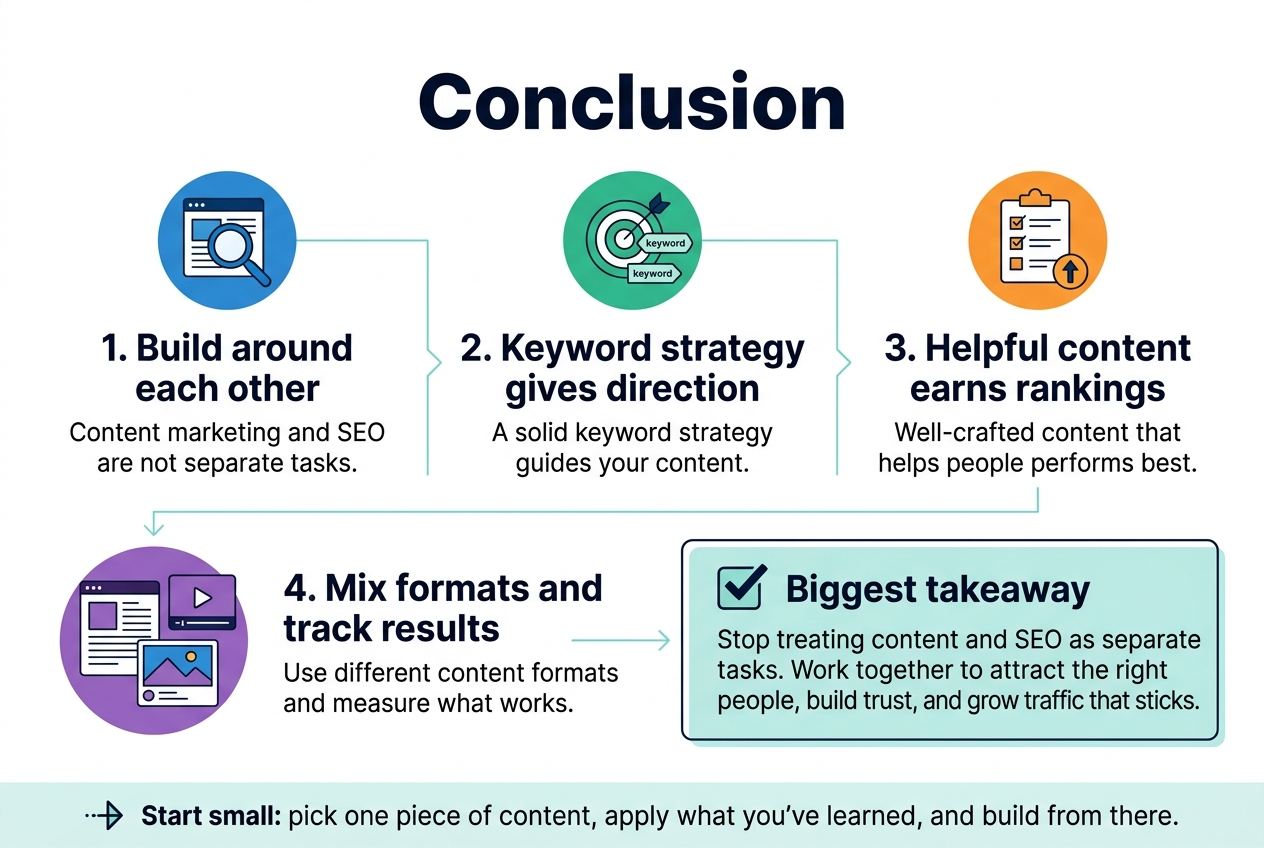
Content marketing and SEO are not two separate things you juggle at the same time — they work best when they’re built around each other. A solid keyword strategy gives your content direction, while well-crafted content that actually helps people is what earns the rankings. Mixing up your content formats keeps things fresh and reaches more of your audience, and tracking your results makes sure all that effort is actually paying off.
The biggest takeaway here? Stop treating content and SEO as separate tasks on your to-do list. When they work together, you attract the right people, build trust, and grow your traffic in a way that actually sticks. Start small if you need to — pick one piece of content, apply what you’ve learned here, and build from there. The results will speak for themselves.
